Junior Designer

Junior Designer
Average UK salary range £18,000 - £28,000
Average UK salary range £18,000 - £28,000

From £349 + VAT
One day Classroom Live Online Private Options
Feed your creative vision and integrate AI tools into your design workflow. Learn how to generate artwork, transform images, and achieve realistic results with AI.
Integrate AI into your design process within Indesign, Illustrator and Photoshop.
Generate stunning AI images or vector graphics using a text prompt, and learn how to achieve realistic results when combining AI generated elements with existing photographs.
Ideal for existing users of Adobe Creative Cloud who want to gain AI skills.
"Simon explained everything so clearly and made it easy to follow. He was extremely knowledgeable and helpful. He answered every question we all had. The course was fun and interactive."
"Simon was very knowledgable and friendly - he made for a very relaxed environment where nobody was afraid to ask questions. It was great to have such a small group too. I really enjoyed the whole day and have learnt a lot."
"Very approachable. Felt I could speak to any of the staff. Simon was great."
"Simon was great. Learned loads about Firefly and generative Ai in general."
National Education Union
"Amazing tutor, really informative, friendly and easy manner. Easy to follow whilst still getting across a huge amount of info, tips and tricks."
Victoria Owen Creative

Two day Classroom Live Online Private Options
Create your own graphics and digital artwork from scratch. Learn freehand drawing and vector design tools on our beginner friendly course.
Learn how to use Affinity’s powerful freehand drawing tools, and how to create your own graphics from scratch by combining shapes, text and images.
Ideal for beginners, you’ll gain confidence and efficient design skills on our two day course.
Through hands-on projects our expert trainers will teach you how to create graphics for a wide variety of purposes.

Two day Classroom Live Online Private Options
Learn how to edit, retouch, and enhance images with this pro editing tool. Discover the creative possibilities with our beginners course.
Explore the creative possibilities of Affinity Photo with our two day introduction course.
Ideal for beginners, you’ll learn the essentials of image editing through hands-on exercises.
Learn how to remove backgrounds, colour correct, retouch, and experiment with creative filters and effects.
Get started with Affinity Photo today.

Two day Classroom Live Online Private Options
Gain the skills to create print ready layouts for books, magazines, flyers and more. Learn to work efficiently and explore creative options that enhance your designs.
Our two day course is ideal for beginners.
Through hands-on projects you’ll learn how to design layouts for a wide variety of purposes.
Whether you’re looking to create books and magazines, or marketing materials, you’ll learn the basics and how to work efficiently in the software.
Get started with Affinity Publisher today.

From £449 + VAT
Two day Live Online Private Options
This course is for motion graphics designers making the final push to expert status. The ultimate power-user course for Adobe After Effects.
Enhance your skills and dramatically improve your productivity on this Advanced Adobe After Effects course.
The course covers a range of topics from advanced keyframing techniques to seamless integration with Cinema 4D.
You will elevate your skills, unlock your creativity, stay ahead of the competition and gain valuable insights into how to deliver your projects faster.
"The course was well organised and the trainer was very knowledgable. Really enjoyed my time here at Media Training."
CAA Base
"Able to ask questions and follow up with questions he was unable to answer on the spot."
Tony Blair Institute For Global Change
"I thought Tom explained everything super well. Not just taking us through the motions and following him but explaining why. I also thought the amount of breaks were great, as it kept us engaged throughout."
Institute For Global Change
"Lunch was on point - trainer was good :)"
Mishcon De Reya
"Really relevant examples, not too advanced or too much information. So the amount of new things was really easy to understand, not too overwhelming."
Glodefisk
From £429 + VAT
Two day Classroom Live Online Private Options
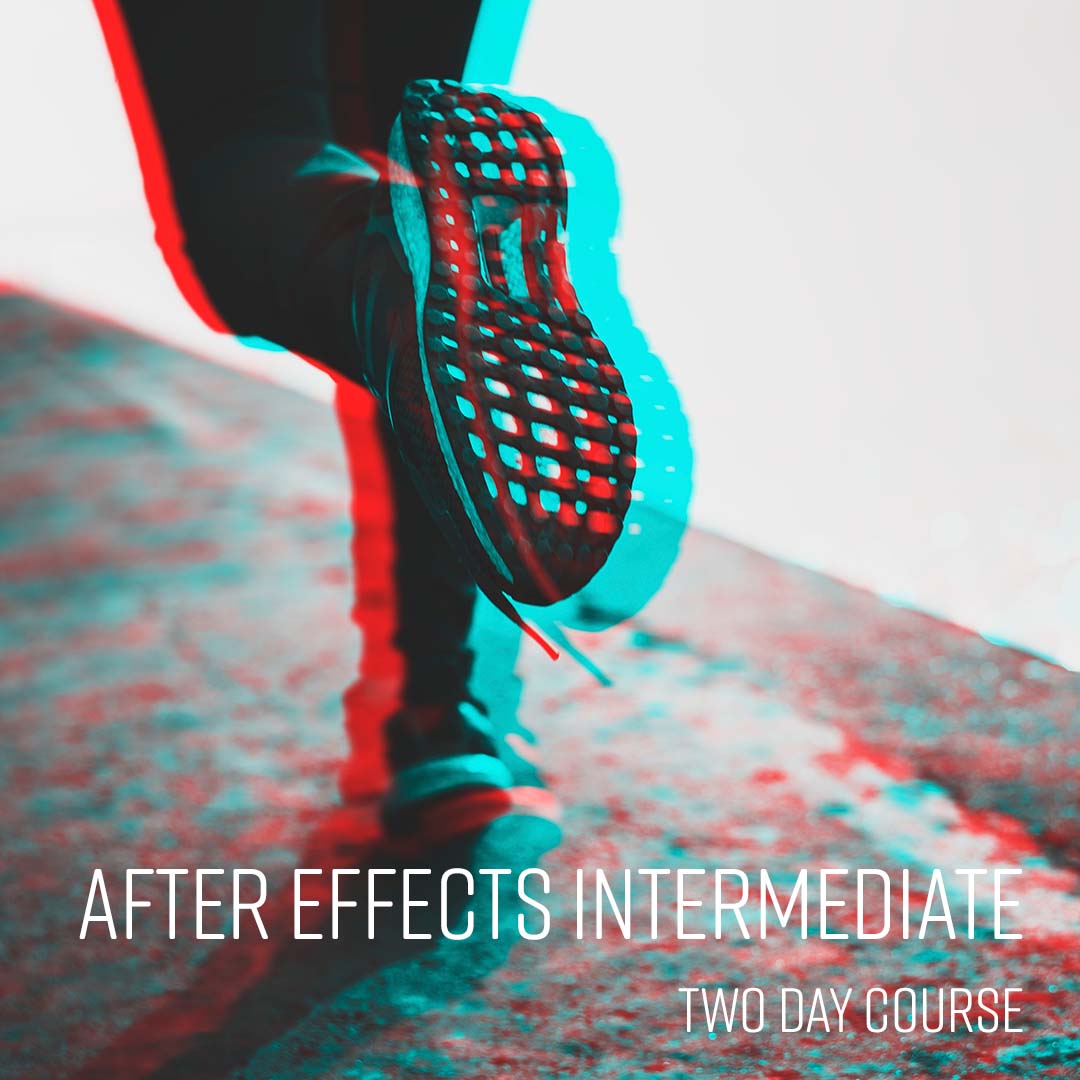
Take your existing motion graphics and animation skills to the next level. Learn to master in-depth features with our hands-on course.
Expand your creative possibilities on this intermediate level Adobe After Effects course.
Gain a deeper understanding of After Effects' capabilities allowing you to create more sophisticated and visually appealing animations, effects and motion graphics.
Our experts will provide detailed insights and practical examples to enhance your efficiency and productivity using After Effects.
"Good at providing constant help when stuck on areas"
Bloomsbury Publishing
"Explaining stuff, Neil was very knowledgable"
Caba
"Zero complains – a great environment, good vibes all around."
"Teaching and knowledge on the subject was really good I enjoyed what I learnt and I was engaged with everything."
"Friendly teachers and environment, thought the descriptions of each level was good as well so intermediate was definitely correct choice."
The National Gallery

From £429 + VAT
Two day Classroom Live Online Private Options
Create stunning motion graphics, visual effects and animations using After Effects. Learn with industry experts in our London classrooms or live online.
This introduction to Adobe After Effects course will give you the skills to create visually stunning motion graphics, visual effects and animations.
Our industry experts will provide you with the skills to craft compelling and professional animations and visual effects.
"The instructor was very enthusiastic and engaging making the course easy to follow and understand which is crucial especially in an online course. Very knowledgable as well, encouraging us to ask questions while at the same time being fully equipped to answer them."
Audere Ltd
"Very clear steps, and a good pace. Covered lots of different content"
Edmiston
"Excellent teaching, it made me understand a lot more about After Effects."
MediaTraining
"Really enjoy the course here, this was my second I attended. The staff at the centre were super friendly, the trainer was really knowledgable and helpful and covered a lot of detail in a short period of time. I left having learned more than I thought I would! Thanks so much!"
Allwyn UK
"Instructor was excellent. Very knowledgable and explained everything clearly. Very satisfied with the training experience"
King's College London

From £449 + VAT
One day Classroom Live Online Private Options
Discover the future of video editing. Perform complex edits, add special effects, and achieve spotless audio effortlessly with AI.
Our experts will show you how to integrate the latest AI tools into your workflow.
Discover how AI can assist with colour grading, multi-cam editing, audio clean up and more.
Ideal for experienced editors looking to speed up their workflow, or for those who have mastered the basics and want to build on their skills.
"Great course, very friendly staff. Great facilities. Tom is a great teacher - very informative and knowledgable. Very easy to follow the tips. Good amount of breaks"
"The contents of the course was very relevant. I'm leaving with a lot of tips and tricks."
"Great trainer, very knowledgeable and friendly. Able to answer all of my questions (and more!). Thank you Tom."
Insight Investment
"Great environment and location and facilities."
Lloyds Banking Group
"Food was lovely. Trainer was very knowledgeable"
Westminster City Council

From £499 + VAT
Two day Classroom Live Online Private Options
Gain an understanding of Blender's powerful 3D design and animation tools. Explore the basics of 3D modelling and create prototypes and visualisations.
Get a head start in 3D design and animation with our Blender Introduction course.
Learn the essentials from a 3D expert and create your own 3D models and animations from scratch.
Work with this free and versatile 3D software and boost your career prospects in a range of industries.
"Expertly designed course and the teacher was very good at answering our questions whilst keeping us on track and on time"
Ocado
"The trainer was great, the course content was brilliant. All the staff are friendly, lunch is delicious and good facilities. I will recommend."
"Very good attention to detail, loved every second of it"
"Calm and easy steps to follow, very friendly and learned a lot at a high pace without stress"
Little Dot Studios
"Being able to go back several times on steps we may have missed. Being able to think on the spot with any questions we had relevant to Blender."

From £449 + VAT
Two day Classroom Live Online Private Options
Transform your videos with colour correction and grading. Discover professional techniques and add a polished, cinematic look to your footage.
Master DaVinci Resolve's powerful tools for colour grading with our two day course.
Learn techniques used by professionals, including using scopes, curves, qualifiers and masks.
Use Resolve’s colour tools to set mood, atmosphere, and add a cinematic feel to your footage.
Our practical course is ideal for those looking to build on their existing post-production skills.
"My third time visiting the centre, I think everything was done brilliantly. Instructors are great at providing basics while also touching on real life elements like your own job and how you can apply it to your own work."
"Tom, the lecture was fantastic! He did a great job walking through everything step by step and was really thorough in answering all my questions."
New City College Redbridge
"Tom was great in explaining everything and it was really good to have a teacher with experience in the field. The course was great and very well put together. One of the best courses I've ever done!"
American Express
"Everything was slick and easy. Staff were all friendly, knowledgeable and keen to chat."
NewsonMedia
"Teaching the basics in a simple and friendly way"
ManyPets
From £499 + VAT
Two day Classroom Live Online Private Options
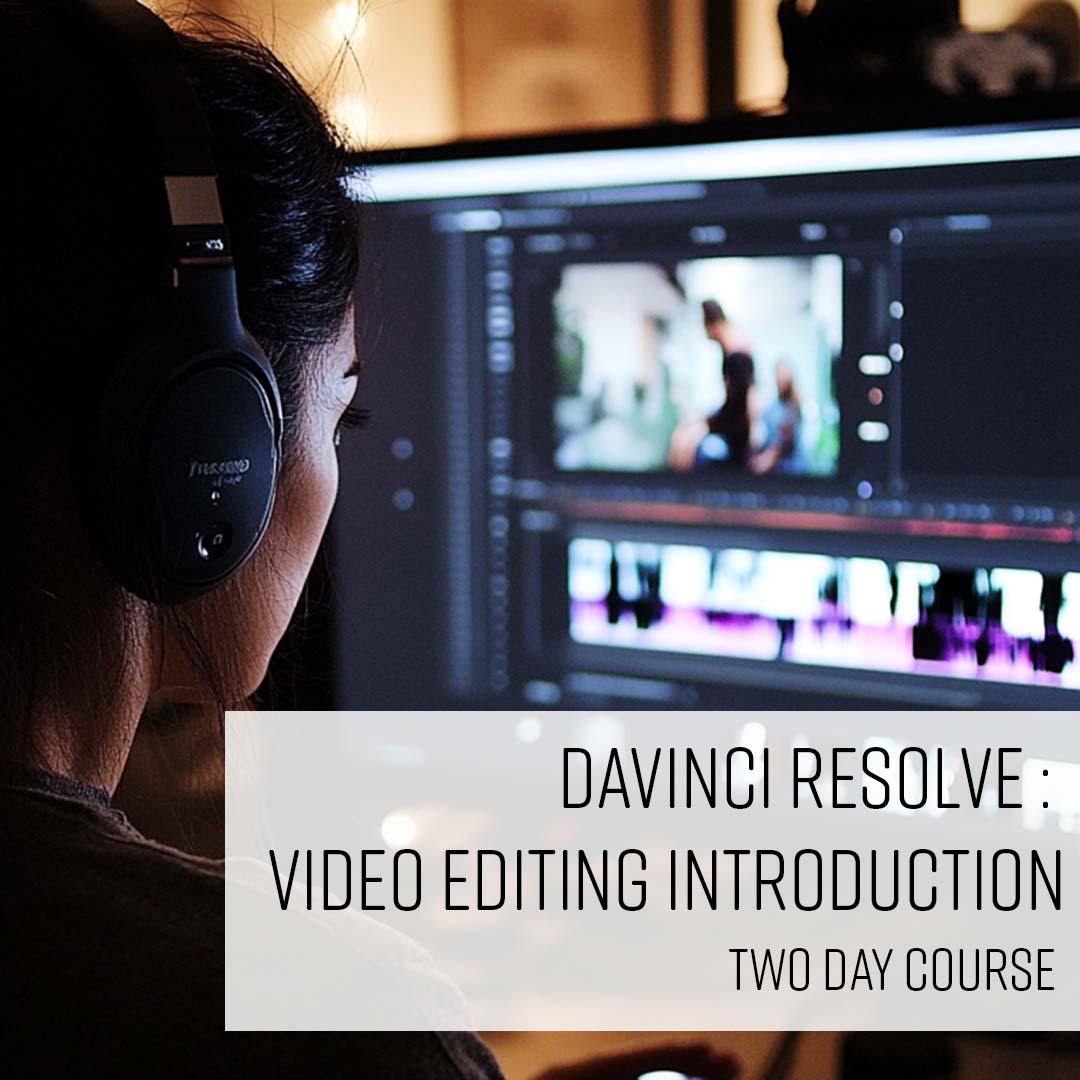
Discover how to edit videos with our beginners DaVinci Resolve course. Learn essential tools, and gain the confidence to bring your creative ideas to life.
This two day course is ideal for those who are new to editing videos.
By the end of the course, you’ll have a solid foundation in video editing using the free version of DaVinci Resolve.
We’ll show you how to edit clips together, add text, transitions and effects, and export video projects with confidence.
"Really good at working out what our knowledge already was and tailoring the course to our level. Skipping over the bits that we didn't need explaining was good and also then answered more on the bits we'd have questions on."
Gousto
"Clear, friendly, knowledgeable, and supportive It is very helpful to have the one-to-one sessions, especially the online training. It was useful to interact, ask questions and get a better understanding."
University Of Leeds
"Course was relaxed, well structured with each project building on what has been learned, with real world tips from experienced user/instructor. Excellent value allowing me to hit the ground running using this program."

From £349 + VAT
One day Classroom Live Online Private Options
Build on your knowledge of Figma with advanced prototyping techniques. Discover the power of variables, and add custom animations to your designs.
Take your knowledge of Figma further with advanced animation and prototyping techniques.
Bring your prototypes to life with sophisticated animations, and learn how to use variables to speed up your workflow and maintain consistency across projects.
Ideal for those looking to add complex elements to their designs.
"Location is great. Centre is very clean and staff are very friendly"
FCDO
"Course was very informative, have picked up some very good tips and tricks I didn't know :)"
The Open University
"Training centre is clean, set up well and staff are welcoming."
"Allowing for questions for outside of the schedule training to allow us to tailor certain bits. Also asked if we were familiar with different techniques so that we didnt need to cover all bits if we were aware. Made for a very useful course!"
QA
"Good variety of courses. Good food. Nice location. Seamless course experience."

From £349 + VAT
One day Classroom Live Online Private Options
Elevate your designs and take your Figma skills to the next level. Create mobile-friendly prototypes, and add interactive elements to your designs.
Join our intermediate Figma course for a deeper look at frames, responsive interfaces, components, and asset organisation.
Learn how to use Auto-layout, create responsive prototypes, and design interactive elements.
Elevate your skills, streamline your workflow, and take your designs to the next level.
"Patience, easy to digest steps, helpful, knowledgable. Ian is a great trainer."
NS&I
"Great class - good examples and enough time for questions"
Moonbug Entertainment
"Training was very detailed but easy to understand, the trainer was very knowledgeable and able to explain things easily for beginners. Great course!"
Moonbug
"The working examples were a great way to learn - I went from not being confident in the subject matter at the start to being able to pre-empt how to do things by the end."
Justice Digital
"Great support in the course and in the centre itself!"
Centre For Digital Public Services

From £429 + VAT
Two day Classroom Live Online Private Options
Create dynamic designs and build prototypes for web and mobile. Collaborate with your team and easily hand off to developers.
In this introductory Figma course you will master Figma's interface, features, and tools, and gain hands-on experience of creating and collaborating on designs, prototypes, and user interfaces.
This course will enable you to unlock the full potential of this powerful design tool.
"Very patient. Didn't leave any attendant behind, and Ben made sure to investigate every issue throughly."
"Very approachable and friendly as soon as I entered the building."
Clever Marketing
"Great at answering questions, trouble shooting and finding answers and additional resources. Super friendly and inspiring. Great level of industry knowledge and experience."
Whippet
"Really patient, thorough delivery and approach to course material. Very interactive and well paced."
Ministry Of Justice
"Calm, knowledgeable, well timed and covered a lot, addressed everyone's issues immediately"
MOJ

From £349 + VAT
One day Classroom Live Online Private Options
Learn the principles you need to create beautiful, professional designs. Discover the secrets of effective visual communication.
The Introduction to Graphic Design course will give you an essential understanding
of design principles - typography, colour theory, layout and composition.
Learn to
apply these principles to your work to give you the skills and confidence to create
professional designs.
"Ian was very organized and gave great tips throughout the session."
Amer Sports
"Very welcoming, had everything we needed for the day and it was really well equipped"
Trailmix Games
"Really good detail and made it very enjoyable! Good range of topics too. Also was very engaging and a good range of enjoyable activities throughout the day"
Allwag Promotions
"Great welcome, refreshments and facilities! Simon was amazing; super knowledgable, helpful and passionate. Overall, great day!"
Breast Cancer Now
"Excellent engagement from the tutor, with fantastic range of examples. Made it very accessible whilst also showing his knowledge and understanding."
Arden Strategies

From £349 + VAT
One day Classroom Live Online Private Options
This course will enable you to harness the full power and productivity of Adobe Illustrator. Become a master user and improve your productivity and efficiency.
This Advanced Adobe Illustrator course will push the boundaries of your design
abilities, expand your skill set, and unlock the full potential of Adobe Illustrator.
Our Illustrator experts will help you uncover hidden features and explore advanced techniques that can elevate your design skills.
"Brilliant training, really informative and tailored examples for our needs"
MMM
"Really knowledgable trainer, and delivered 1-2-1. Can't fault it."
"Great at explaining the methods and easy to follow"
Lloyds Banking Group
"Providing effective resources for teaching and understanding. Providing effective training for all levels of understanding"
RAF Odiham
"Covering topics that I asked about and making sure I understood."
Cherry

From £429 + VAT
Two day Classroom Live Online Private Options
This course is designed to boost your existing Adobe Illustrator skills. Take your design skills to the next level and work more efficiently in Illustrator.
This intermediate level course will help you delve deeper into Illustrator's features and tools, unlock new possibilities and help you work faster and more efficiently.
Master more advanced techniques, create more complex designs, enhance productivity, and collaborate effectively.
"Great informative course and facilities, highly recommend thank you!"
"Great Course. Charlotte was an engaging, supportive and informative teacher and had an expert knowledge of Illustrator and design in general. Thank you so much!"
"Great and welcoming environment with a great trainer and refreshments."
Formula 1
"Welcome friendly environment. Excellent facilities. Excellent friendly tutor. Flexible teaching to accommodate learners."
Flicimage
"Everything! I really enjoyed it. Matt was an excellent teacher and i felt like i could stop the class and understand what he was saying and write my notes. He was very approachable."
Freelance

From £429 + VAT
Two day Classroom Live Online Private Options
Create beautiful artwork, illustrations and graphics using the power of Adobe Illustrator. Learn with practical, hands-on exercises led by expert designers.
Master the creative power and versatility of Adobe Illustrator.
Learn to create
beautiful vector-based designs, including logos, artwork, illustrations, and icons.
This course delivers the essential Adobe Illustrator skills you need to bring your
ideas to life.
"Everything was really well explained and clear"
Energus
"Very informative and detailed course - great baseline for using the program"
"Pete was brilliant at really understanding our needs with Illustrator, helping us to think about use-cases and how to solve real problems that we have been facing in using the programme. He really took the time to go through things in an easy to understand way, but was also happy to go into detail regarding any specific queries we had."
FCDO
"Great at providing space and time to look at and explain the specific issues and questions we had with the programme before starting the course."
FCDO
"Friendly team, modern facilities, generous snacks"

From £449 + VAT
Two day Classroom Live Online Private Options
Master the full power and potential of Adobe InDesign. Take your design skills to the max by working smarter and faster.
Dive deeper into InDesign's typographical controls and advanced text formatting features.
Use grids, objects styles and liquid layouts to create beautiful and polished layouts and documents.
This Advanced course is designed to expand your skillset and help you maximise the potential of Adobe InDesign.
"Really knowledgable trainer, good set up of the day with enough breaks to recharge."
"Really helpful elements to the course. We were able to ask questions about specific things that were relevant to our individual roles and the trainer took the time help."
DoTERRA
"Great instructors and knowledge, and the source material we had to work from was really good and I'll keep those so I can continue to revise on what I learned."
DCMS
"Ian was great, today was so informative. I've learnt so much thats going to help me with my projects and work and personal projects. Cant wait to play with some of the tools that he showed me."
"Ian was flexible enough to tailor some of the course to what I do everyday and he taught me new tips and tricks that I know I'll be using a lot going forward! He was great at going through everything in detail and explaining the why and not just the how."

Two day Classroom Live Online Private Options
Expand your Adobe InDesign skills by creating interactive eBooks and magazines. Create interactive publications that work across a range of digital platforms.
Learn how to use Adobe InDesign to design and publish interactive content like e-books,
magazines, and interactive PDFs.
Gain the skills to create user-friendly interactive elements that provide a seamless and
enjoyable reading experience for your audience.
"So many tips that are going to be able to use for our Annual Report and also through our douments as a whole. Really appreciate the simplicity of talking through each step. Easy to follow."
"Tailoring the course to our specific needs"
British Transport Police
"Simon was so engaging and knowledgeable and was happy to explain things again when I got in a muddle. This course will be so helpful to my current employment and I think my managers will be blown away! Of all the courses I have done Simon has been the best teacher so far. The two days flew by and I feel I have a good grasp of what was taught. I also like that the group was small so it felt like one on one training which is so valuable. Thank you."
"Everything - super clear, very informative and plenty of real life examples of how to use the course."
DC Advisory
"The tutor was very approachable and really understanding to all attendees. Overall, the training was insightful and explained best practices plus little tips and tricks throughout the 2 days."
British Psychological Society

From £429 + VAT
Two day Classroom Live Online Private Options
Build on your existing InDesign skills to create more sophisticated documents. Master workflow strategies that will help you work more efficiently.
Deepen your understanding of InDesign's features and functionality, allowing you to create more professional and complex layouts.
Take your InDesign skills to the next level, master shortcuts and workflow strategies that will help you work faster and more efficiently.
"Tailoring to specific needs and answering individual questions. Really approachable and great in depth knowledge"
Anchor
"Great lessons, breaks were helpful to maintain concentration"
Ben Whistler
"Really excellent trainer and very knowledgable - was able to cover course material very efficiently and was very engaged with the participants, picking up on when anyone had hit a problem and checking in with us frequently to keep us on track."
Arden Strategies
"Adapting to our requirements whilst covering the course content. Clearly explaining step by step activities and repeating where necessary."
"Great pastoral care and targeted training based on the our requirments"
Dorchester Collection

From £429 + VAT
Two day Classroom Live Online Private Options
Learn how to create beautiful layouts and documents in Adobe InDesign. Design professional layouts for magazines, brochures, reports, and books.
Learn to create visually appealing layouts and documents using Adobe InDesign.
Our experts will teach you how to create beautiful print layouts for brochures, magazines, reports and books.
This is the ideal course for anyone who wants to learn how to create professional
layouts using Adobe InDesign.
"Vicki was great at explaining and was really patient. I didn't feel silly when I fell behind and she was great at getting us to share our screen to figure out where we had gone wrong."
NEXT
"Knowledge and thoroughness were overwhelmingly good. Covered so much I felt more confident straight away."
Simons Muirhead Burton LLP
"Vicki was incredibly patient and spoke in a clear and consistent manner. She was very knowledgeable about InDesign and I definitely feel my skills improved as a result of the training."
UCL
"Vicki was very helpful and knew what she was doing. I feel confident in using InDesign now."
House Of Commons
"Vicky was very good at explaining and very Patient"
Mace Ltd

From £499 + VAT
Two day Classroom Live Online Private Options
Take your motion graphics further with complex animation techniques. Unlock new creative possibilities and explore 3D animation on this After Effects course.
Build on your animation skills with our intermediate motion graphics course.
Learn how to elevate your designs with advanced techniques, and add dimension to your animations with 3D shapes.
Ideal for graphic designers who want to explore the creative possibilities of Adobe After Effects and create more complex animations.
"Tom was really great at adapting to the client's needs, changing things and making sure what was taught was relevant and would genuinely help in putting a project together in AE."
Loughborough University
"I really enjoyed the whole experience. It's professional, high-quality, and easy to learn."
Influencer
"Great knowledge of AfterEffects from the tutor. The facilities were really clean and tidy, and the food and drinks were great! Staff are all really friendly!"

From £449 + VAT
Two day Classroom Live Online Private Options
Elevate your design projects with eye-catching 2D animations. Get started in the world of Motion Graphics with this After Effects course.
Dive into the world of motion graphics with our hands-on course.
Suitable for complete beginners, this class will introduce you to motion graphics creation with Adobe After Effects.
Discover how to transform static text and graphics into dynamic 2D animations.
Ideal for Graphic Designers who want to add motion to their designs.
"Loved all of it, Tom is extremely prepared, knowledgeable and approachable. The centre is in a great location and the staff are very friendly and welcoming. I'll be looking to take the Intermediate course with him when possible."
CBRE UK

From £349 + VAT
One day Classroom Live Online Private Options
Become a super-user and harness the full power and potential of Photoshop. Learn insights and techniques from experts to produce stunning images.
Expand your skillset and push the boundaries when using Adobe Photoshop.
This course is designed to expand your creative horizons giving you the skills to produce a wide range of beautiful digital imagery.
You'll also cover valuable advanced workflows and time-saving techniques from industry professionals.
"Very useful, and everything was explained well."
Next PLC
"Simo was very good at making sure you get help when needed and ensuring everyone is keeping up with the course. Also, very good at applying relevant examples to what we were learning"
NEXT
"Our trainer was super knowledgable and tailored the course especially to us and our needs. Definitely have been taught some techniques to take away and use in my work- thank you!"
NEXT
"The day was very organised and ran very smoothly. The trainer was very knowledgable and was happy to answer lots of questions."
Next
"Great examples that will apply to our everyday work. Some of the techniques I had never used before which is really useful to know."
Next

From £429 + VAT
Two day Classroom Live Online Private Options
Work smarter in Photoshop, master new techniques and realise your creative potential. This is the ideal course for building on your existing Adobe Photoshop skills.
Expand your Photoshop skills!
This Adobe Authorised course will delve deeper into
Photoshop's features, tools and techniques taking your image editing skills to the next level.
Our experts will also teach you efficient workflows, shortcuts, and automation techniques enabling you to work faster and more effectively.
"Very Knowledgeable & approachable; responsive to questions & queries. I will definitely be taking away some of the tips and tricks from Simo. :)"
Devon & Cornwall Police
"Matt was super informative and friendly, I felt that he covered things in great depth and really catered to our needs. The course covered a good range of elements and I felt that I was really well supported with any questions or issues that I had!"
Right Formula
"Course was so valuable to my knowledge and understanding. Simo was great at applying examples to my own work and use outside of the course and took time to make sure the examples were relevant, even making new ones to show specific answers to questions I had asked. 10/10"
"Amazing experience again. Informative and very skilled teacher who catered to my specific needs"
"Very knowledgeable and the small group allowed for us to share screens and fix our individual issues"

From £429 + VAT
Two day Classroom Live Online Private Options
This is the Adobe Authorised course for new users of Adobe Photoshop. Produce and edit images to meet professional industry standards.
Learn the fundamental tools and techniques of Photoshop on this Adobe Authorised course.
Our experts will give you the skills to edit and transform your images with precision and creativity.
Photoshop is the worldwide industry standard for working with digital images.
This course will give you the perfect start to working with Photoshop.
"I really enjoyed the class as the trainer was very knowledgeable and patient with all our questions. Always attentive and a good chance to ask questions and work on individual work. The course was at a good pace with loads of great examples and the flow and structure was great. The trainer was very easy to understand and I would definitely come back to take the intermediate course with him."
Lock And Co. Hatters
"The Trainer was knowledgeable and explained every stage carefully. We were able to ask questions as the course progressed ensuring we understood the tasks"
"Simo was a fantastic trainer, made the course enjoyable."
"This was really good and has taken away my fear of Photoshop"
Claritas
"Given clear instructions and easy-to-follow workshops"
RMG Ltd

From £349 + VAT
One day Classroom Live Online Private Options
Master colour grading techniques and effects in Adobe Premiere. Set mood, atmosphere and greatly enhance the overall look and feel of your videos.
This is the ultimate course for colour grading in Adobe Premiere – an essential skill to have if you want to create a professional look for your video content.
Understand the theory behind colour grading and correcting and master the skills to correct footage from scratch in Adobe Premiere.
"Very welcoming atmosphere, as well as knowledgeable, informative and thorough. Overall great teaching plan."
Audere Ltd
"The trainer was very patient, knowledgeable, supportive and answered any questions we had. She was super friendly and approachable and I found the training session to be extremely valuable and I have definitely learned a lot more than I had thought I would in a beginner session! :)"
Miller Homes
"Very helpful and welcoming. Incredibly well organised. The tutor was an expert who taught me so much and was exactly what was needed, Great place to train and look forward to coming back again."
WTW
"Excellent and generous trainer, lots and lots and lots of content packed in"
Kensington Palace
"Trainer was great, very knowledgable and helpful"
Ucl

From £349 + VAT
One day Classroom Live Online Private Options
Take your video editing skills to a professional level on this Adobe Authorised course. Edit like a pro and maximise your creative potential in Adobe Premiere.
Gain the skills and confidence to excel in the world of video editing.
This Adobe Authorised advanced level course will teach you editing techniques, effects, and
features that can take your video editing skills to professional level using Adobe Premiere.
"I ended up having a one on one session with the trainer who was really knowledgable and able to tailor the class to my needs which was great! The centre staff were all friendly and helpful."
Historic Royal Palaces
"Delivering 1-2-1 training. Exposing students' gaps in knowledge and addressing that."
MPS
"Tom was great. I was lucky to be the only person on the course so he very quickly adjusted the plan for the day to cater to my particular queries and requirements. Loads of really useful tips and examples. Thank you!"
War Child
"Lunch was premium as always ! Happy to be back !"
Channel4
"Tom was a hugely clear and helpful instructor for the Advanced Training Course for Premiere Pro. Really useful information and learned a huge amount, particularly the shortcuts. I know it will be so relevant and implemented into my daily job immediately. I really appreciate everything I've learnt from today. Thank you Tom. All staff were hugely friendly as well."
DESNZ

From £429 + VAT
Two day Classroom Live Online Private Options
Dramatically boost your video editing skills on this practical course. Master techniques to create more professional content and enhance your productivity.
This course is designed to build on your existing Adobe Premiere skills and expand your
creative options.
Expand your core editing skills, master sound enhancement techniques, work with
animation and graphics features, understand the essentials of colour grading and correction
and take your Adobe Premiere skills to the next level.
"Great trainer, excellent explanations especially for an online course"
NACTSO
"The examples were efficient. It was great to edit a sequence together that consisted of specific problems as we were able to learn solutions in a natural and clear way as well as all through one (main) project."
"Alex was a very knowledgable instructor, very patient with us and our many questions. Would definitely recommend her!"
"It's a lovely learning environment where everyone is super helpful and friendly."
Hpower International Ltd
"Was a well rounded course that helped elevate basic skills while being user friendly for the skills I might not have known. Very engaging and easy to follow."

From £429 + VAT
Two day Classroom Live Online Private Options
This Adobe Authorised course will give you the video editing skills to bring your ideas to life. Master the powerful and professional video editing tools in Adobe Premiere.
Learn to edit video like a pro on this Introduction to Adobe Premiere course.
Our experts will teach you to edit and refine video footage, add visual effects, adjust
colours, and apply filters to achieve a professional look and feel for your videos.
"The trainer and the facilities were great."
IWM
"Great pace of the course and well structured learning. It was clear what we were doing, the objectives and the route there. Trainer was great - could tell the passion and experience. Open and felt easy to ask questions and dive into areas."
Innovate UK
"Really good instructions - feel like I can use the programme easily now. Great instructor!"
UCL
"Welcoming and helpful staff got everything i wanted from the course and more welcome email eased anxiety beforehand thank you!!"
UK Government Scotland
"This was a brilliant course. Very engaging and no question was too small. Matt was very friendly and approachable and always quick to help and repeat when needed. I definitely learnt a lot and am excited to go back to work and start putting what I have learnt into practice. I will definitely be recommending this course to my colleagues. The training facilites were also great. Very modern training space with a lovely relaxing space and learning space. Plenty of breaks on the course too to make sure we stayed sharp and focussed."
Cripps

From £449 + VAT
Two day Classroom Live Online Private Options
Learn how to design websites that your customers will love using. Discover how to design websites that provide an exceptional user experience.
Gain the skills to design intuitive and user-friendly interfaces, leading to greater customer
satisfaction and increased traffic to your site.
Learn how to make sure your website is inclusive, accessible and a joy to use.
"Was just what I needed to give a broad overview of UX/UI with very varied subject matter. Craig was really knowledgable and able to answer any questions I had"
Avalere Health
"Teacher was super knowledgeable and had loads of great examples - clearly very up to date on the sector. Very articulate and animated - kept it interesting. The centre is lovely, clean and modern. Great location."
St John Ambulance
"Explaining difficult concepts in a easy way, and keeping everyone engaged."
BearingNet
"Craig was passionate and energetic throughout the two days. The course was well structured and covered a good amount of the basics of UX. One of the most valuable sections of the course which was impromptu was the analysis of our own site."
Bearingnet
"The trainer had fantastic knowledge of both the software and UX design theory and a really engaging teaching style"
Sussex Partnership NHS Foundation Trust

From £349 + VAT
One day Classroom Live Online Private Options
Perfect for those looking to create quality content for social media. Learn to edit with Premiere Rush and create videos that tell a great story.
This course will give you the skills to create compelling short videos that captivate and hold your viewers' attention using Capcut.
Import video, sound and images, learn how to edit to create a powerful narrative, include animations and export to a range of social platforms.
"Engaging, interactive, friendly and no question was too much. We took so much from this training."
David Nott Foundation
"It was the most comprehensive and useful course and Matt was so knowledgeable, efficient and helpful."
David Nott Foundation
"Everything! Matt explained everything in a clear and precise way. He offered solutions to every question or confusion we had. All the information was up to date, he was incredibly knowledgeable."
The David Nott Foundation
"Everything. Staff are super helpful and friendly. Trainers are experts and adjusted their training styles to suit a mixture of trainees. Training site was perfect, clean, great set up"
NCA
"James (our trainer) for Video editing for social media, was extremely knowledgeable, attentive and personable. His experience and knowledge was impressive, and I thoroughly enjoyed his teaching and felt like I gained alot of knowledge in a single day! Wishing him all the best."
NCA

One day Classroom Live Online Private Options
Create brilliant designs and prototypes for websites, mobile apps and games. Learn to work efficiently and collaborate seamlessly using Adobe XD.
Learn how to create interactive design prototypes using Adobe XD so that you can present
and showcase your design concepts effectively.
Master Adobe XD's powerful collaboration features so that you can easily work with clients
or other designers, streamlining the design review and feedback process.
"Location, course assets, teaching, friendliness."
P1C
"Explaining how to use the system & giving examples"
Jules Verne
"Explaining and allowing a personalised session! Great course!"
Oliver
"Amazing staff, very friendly and trainer very knowledgable"
Cherry Advertising
"Great facilities, location and course content"
Fairfax Multi-Academy Trust