Photographer
Typical UK salary range £20,000 - £45,000
Guide figure. Pay varies by employer, location and experience.
They edit and retouch photos for best results. Creativity, software knowledge, and camera skills are essential.
Typical UK salary range £20,000 - £45,000
Guide figure. Pay varies by employer, location and experience.
They edit and retouch photos for best results. Creativity, software knowledge, and camera skills are essential.

Key skills for Photographers
- Attention to Detail
- Communication Skills
- Creativity
- Photography Skills
- Technical Knowledge
Find Photographer roles
Search live vacancies on these job boards.
Courses for Photographers
Recommended training to build the skills employers look for in this role.

AI Ethics
From £349 + VAT
One day Classroom Live online Private options
Build practical AI ethics skills on this one-day course.
Covering fairness, bias, privacy, accountability, the EU AI Act, UK regulatory frameworks and implementing ethical safeguards — using real case studies throughout.
Ideal for professionals responsible for AI use within their teams or organisations.
- Identify and assess ethical risks in AI systems
- Recognise bias, fairness and transparency issues
- Conduct privacy and fairness assessments
- Navigate accountability questions with confidence
- Implement ethical safeguards
-
"Great experience of new developments in a fast moving area."
10 August 2026 - With Simon
-
"Great overview of the topic with really good working examples. Great to share examples with other delegates to see what challenges they are facing and how they deal with them which will be super helpful."
10 August 2026 - With Simon
-
"Explaining the subject with real world examples."
SciencePhoto Library - 10 August 2026 - With Simon
- More reviews

Assertiveness
From £449 + VAT
One day Live online Private options
Build your assertiveness skills on this practical one-day course.
Covering assertive, passive and aggressive behaviour styles, honest self-assessment, expressing yourself clearly without aggression, positive language and voice control, applying assertiveness in meetings and difficult conversations and setting and maintaining boundaries.
- Recognise assertive, passive and aggressive behaviour
- Assess and improve your own communication style
- Express yourself clearly and directly without aggression
- Apply assertiveness in meetings and difficult conversations
- Set and maintain professional boundaries confidently
-
"So pleased the course went ahead - very useful. Key points addressed and support given. Opportunity to ask questions and relate to my own personal experience. Good examples provided too of different scenarios to help me remember key points. Thank you!"
8 May 2026 - With Michael
-
"Clear communication and friendly, inclusive environment."
BBC - 3 February 2026 - With Michael
-
"I love that this was a small cohort - made it easier to be vulnerable. Michael was incredible. He understood all our challenges (given the whole class was female) and was empathetic. I've taken a lot from this course and would recommend to others."
CLEO Systems - 3 February 2026 - With Michael
-
"Very welcoming and friendly arrival. Comfortable surroundings. Friendly, knowledgeable and interesting trainer."
EBRD - 3 February 2026 - With Michael
-
"Michael was very informative and had lots of real life examples which helped with understanding."
24 September 2025 - With Michael
- More reviews

Conflict Resolution
Private training: ask for a quote
One day Live online Private options
Learn to manage and resolve workplace conflict on this practical one-day course.
Covering conflict stages, emotional intelligence, using body language and tone of voice positively, verbal de-escalation techniques, conflict resolution strategies for different situations and knowing when to involve HR or management.
- Recognise the stages of escalating conflict
- Apply emotional intelligence in difficult situations
- Use body language and tone to influence outcomes
- De-escalate tension using verbal and non-verbal techniques
- Choose the right conflict resolution strategy
-
"Course was very targeted and narrowed down to daily issues we face. and loved the interaction without any cut off half way through."
Zapp - 24 July 2025
-
"Excellent delivery, and examples to illustrate meaning."
Zapp - 24 July 2025
-
"The trainer and the training were effective, and the examples were relevant."
Zapp - 24 July 2025
-
"Organising of course. Content was just what I was looking for"
Scottish Government - 4 November 2020
-
"Overall I have a very good training experience and would make recommendations to use Media Training again. Thank you"
Vanquis - 3 April 2018
- More reviews

Good Communication
From £449 + VAT
One day Live online Private options
Develop stronger communication skills at work on this practical one-day course.
Covering verbal and non-verbal communication, passive, aggressive and assertive behaviour, active listening, giving and receiving constructive feedback and communicating clearly in a range of professional contexts — suitable for all levels.
- Understand verbal and non-verbal communication
- Distinguish assertive, passive and aggressive styles
- Develop active listening techniques
- Give and receive constructive feedback
- Communicate clearly in professional situations
-
"Great structure of the course with great examples I could relate to. The information provided in the course could easily be translated into practical actions which made me feel more prepared and confident for the future."
9 July 2026 - With Michael
-
"Great at communicating beforehand and throughout the day."
Virgin - 16 March 2026 - With Michael
-
"Thank you so much for the course Michael! It was very useful and I will use what I learned today."
8 August 2025 - With Michael
-
"Very organised and lovely environment to learn in. Michael was a very engaging and I liked his light hearted approach to the training."
11 June 2025 - With Michael
-
"Very accessible level of training but still in depth. Lots of tools which can be taken forward. Centre was great, I will look to do more training courses here!"
Tracy Gilbert MP - 11 June 2025 - With Michael
- More reviews

Improve your CV and LinkedIn Profile
Private training: ask for a quote
Half day Live online Private options
Learn to write a standout CV and optimise your LinkedIn profile on this practical half-day course.
Covering CV structure, tailoring to job descriptions, passing the recruiter scan, selling your skills, LinkedIn searchability and using endorsements and groups to expand your network.
- Identify the key components of a strong CV
- Tailor your CV to pass the 8-second scan
- Identify and sell your skills with confidence
- Optimise your LinkedIn profile for discoverability
- Build your network and expand your opportunities

Interview Skills for Job Applicants
Private training: ask for a quote
Half day Live online Private options
Learn how to sell yourself effectively in job interviews.
Discover techniques for managing
interview nerves and how best to highlight your skills and expertise.
Receive personalised feedback and tips to improve your interview performance.
- Prepare effectively for any interview format
- Anticipate questions and plan strong answers
- Structure responses using the S.T.A.R. method
- Showcase your experience with real evidence
- Build and communicate a compelling personal brand
-
"Excellent delivery. The topic was taught with exceptional experience/knowledge and lots of very insightful advice - thank you :)"
MOD - 1 March 2022 - With Michael
- More reviews

Photoshop Advanced
From £349 + VAT
One day Live online Private options
Push Photoshop to its limits on this advanced one-day expert-led course.
Covering Lab mode colour correction, alpha channels, Smart Objects, advanced blending, Camera Raw, creative filter effects, compositing and automation with scripts — for experienced users aiming to work at expert level.
- Automate tasks with scripts and power-user shortcuts
- Apply advanced colour correction and Lab mode
- Use Smart Objects and advanced blending techniques
- Process images with Camera Raw for optimal results
- Create complex effects with filters and compositing
-
"Simo was fantastic, super helpful, patient, understanding, knowledgable and made me feel really comfortable"
10 September 2026 - With Simo
-
"Tutor highly knowledgeable of subject matter."
3 July 2026 - With Simo
-
"Delivering the content, answering questions, helping when needed, taking breaks, screensharing etc. It was good to edit alongside Simo and share results, and learn real techniques."
National Portrait Gallery - 26 May 2026 - With Simo
-
"The Trainer had loads of knowledge asked us lots of questions to customise our lesson as best he could to our needs. He was super prepared."
26 May 2026 - With Simo
-
"Pausing to check if everyone is following the exercises very naturally and adjusting the training to our needs and expectations"
National Portrait Gallery - 26 May 2026 - With Simo
- More reviews

Photoshop Intermediate
From £429 + VAT
Two day Live online Private options
Expand your Photoshop skills on this expert-led two-day intermediate course.
Covering colour correction and grading, complex masking, Smart Objects, advanced layer blending, custom brushes and workflow automation using actions — for existing users ready to produce more and work more efficiently.
- Make precise colour adjustments and corrections
- Master selections, masks and complex cutouts
- Use Smart Objects and advanced layer techniques
- Build and apply custom brushes and presets
- Automate tasks with actions and batch processing
-
"Everything! I am disappointed I have no further training booked."
19 October 2026 - With Simo
-
"Organisation of the course was great overall, really good couple of days"
Hearst Networks - 19 October 2026 - With Simo
-
"Organised, friendly, easy to follow and understand. Overall, a really positive experience."
BBC - 19 October 2026 - With Simo
-
"Very very friendly and welcoming team, trainer was very knowledgeable and course was easy to understand and follow. great experience!"
19 October 2026 - With Simo
-
"Clear guidance, great pace, digestable, easy to follow, patient, lovely trainer"
19 October 2026 - With Simo
- More reviews

Photoshop Intro
From £399 + VAT
Two day Live online Private options
Start your Photoshop journey on this expert-led two-day introduction course.
Covering workspace setup, selections, colour and tone adjustment, layers, content-aware tools, portrait retouching and generative AI — the ideal foundation for anyone new to image editing or digital photography.
- Set up and customise the Photoshop workspace
- Make accurate selections for precise edits
- Adjust tone and colour with professional techniques
- Transform images using generative AI tools
- Retouch and restore images to a professional standard
-
"Very good trainer, friendly, professional and full of knowlege. it worked well even though it is remote training."
23 September 2026 - With Simo
-
"Lots of resources that we could use after the course ended to practise and cement learning"
University College London - 23 September 2026 - With Simo
-
"Very organised modules, relevant insight shared and great explanations. Great collaboration and getting course participants sharing their work and involved."
BAFTA - 23 September 2026 - With Simo
-
"Patience! Really clear instructions, making sense of tools I have used millions of times before. Super"
18 August 2026 - With Simo
-
"Simon is a very good trainer; this was the 2nd time we have booked him. He is very knowledgeable and clear when teaching. He also adapts the content of the course to suit our needs."
ITV Studios - 5 August 2026 - With Simon
- More reviews

Portrait Photography
Private training: ask for a quote
One day Private options
Develop your portrait photography skills on this practical one-day course led by a professional photographer.
Covering lenses and focal lengths, studio lighting setups, flash and modifiers, sculpting with natural light and reflectors, subject positioning, headshots, environmental portraits and reviewing your own images.
- Shoot flattering portraits in any style
- Choose the right equipment for the job
- Frame and position subjects with intention
- Shape portraits using natural light
- Control and modify studio lighting setups
-
"Great facilities, knowledgeable and friendly tutor."
23 January 2026 - With Simon
-
"Putting lessons into practice throughout the day, knowledgeable instructor and tailored to what I needed to learn"
23 May 2025 - With Simon
-
"The training was great - really interesting course and learnt a lot that I can use practically."
Anglo American - 19 September 2024 - With Simon
-
"Great instructor and balance of practical and theory"
Anglo American - 19 September 2024 - With Simon
-
"All totally clear and easily digestible again!"
Anglo American - 19 September 2024 - With Simon
- More reviews

Product Photography
Private training: ask for a quote
One day Private options
Learn professional product photography on this practical one-day course.
Covering shoot planning, camera settings, lens selection, white balance, colour temperature, light tent setup, composition, exposure bracketing and photographing small objects and jewellery — ideal for small business owners and e-commerce sellers.
- Choose the right equipment and set up your space
- Master manual camera settings for sharp results
- Shoot effectively with a lightbox or tent
- Frame and compose product shots with confidence
- Handle both large and small objects successfully
-
"It was really helpful having Matt onsite to go through our kit. It enabled the course to be moulded around us and our questions. Really valuable."
TTPplc - 23 April 2026 - With Matt
-
"Understanding our goals and helping us achieve the results we needed"
Lathams - 18 March 2026 - With Simon
-
"Helping us understand everything we was having problems with and finding ways to fix those problems."
Lathams Home - 18 March 2026 - With Simon
-
"Catered to my requirements for work product photography. Aimed at my level and checked i had understood it. Practical examples of the situations i would be photographing. very usefull."
Beckhoff Automation Ltd - 9 January 2026 - With Simon
-
"Great venue, great knowledge from trainer"
NewMed Ltd - 10 July 2025 - With Simon
- More reviews
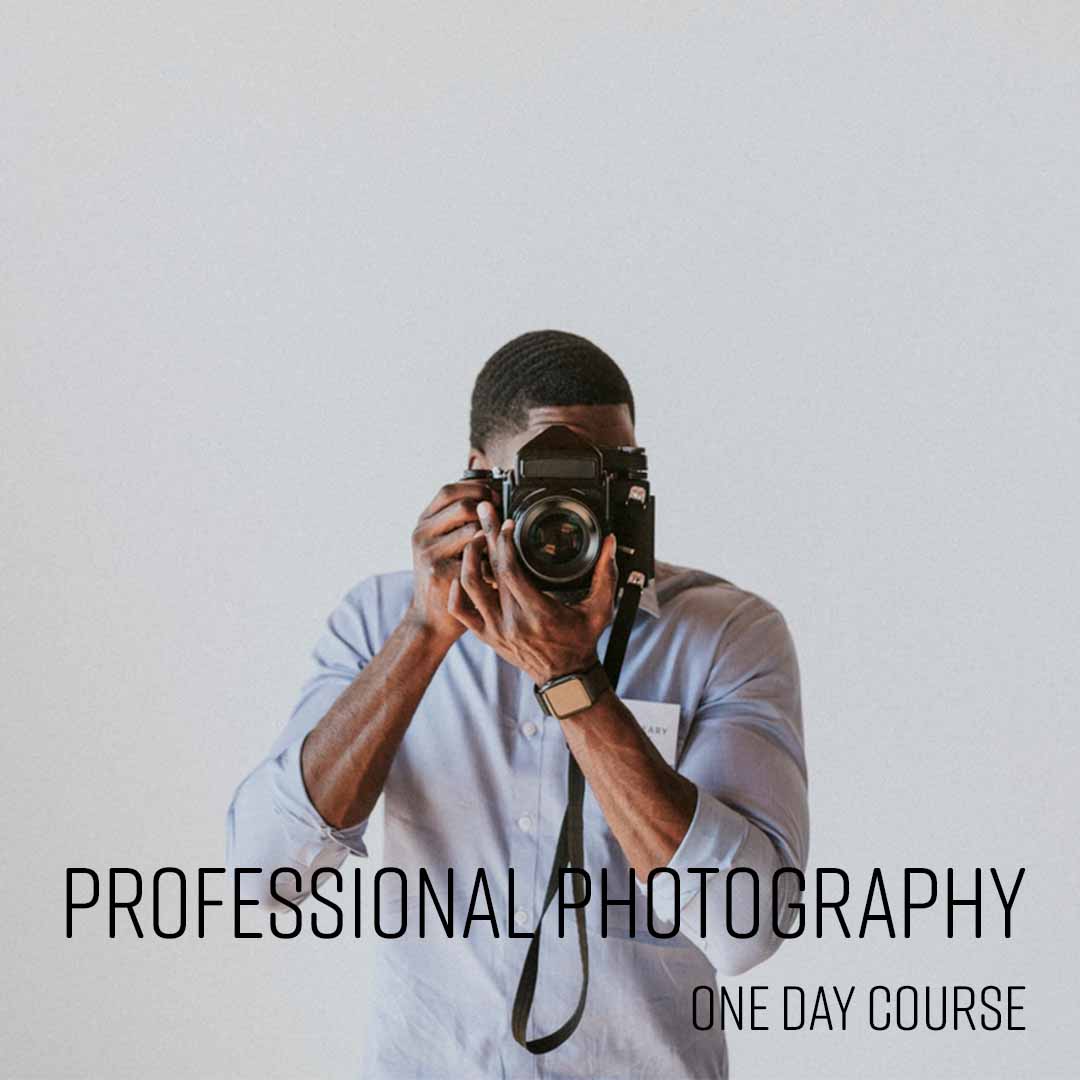
Professional Photography
From £349 + VAT
One day Private options
This course will enable you to master the technical aspects of photography and get the very
best from your camera.
The course explains aperture and shutter speeds as well as
professional lighting and composition techniques.
This will allow you to consistently capture beautiful, high-quality images.
- Get the most from your camera's full feature set
- Tell compelling visual stories through your lens
- Use aperture creatively to control depth of field
- Freeze or convey motion with shutter speed
- Bracket shots to guarantee the perfect exposure
-
"Understanding what we all shoot for example events and tailored the course to fit."
6 August 2026 - With Matt
-
"Great course. Really engaging and easy to follow. Really nice space and atmosphere, and good group size for the day."
Allianz Stadium - 17 June 2026 - With Simon
-
"Simon was very knowledgeable and patient taking time to answer questions and provide feedback"
17 June 2026 - With Simon
-
"Good number of participants from varied backgrounds nice snacks and welcome drink the pdf was v informative and simon's pictures are lovely good pace of the session"
Sizewell C - 17 June 2026 - With Simon
-
"Really knowledgeable. Was great to do a bit of practical alongside the technical."
17 June 2026 - With Simon
- More reviews

Smartphone Photography
From £349 + VAT
One day Private options
Learn creative smartphone photography on this practical one-day course for iOS and Android users.
Covering camera settings, lens options, manual focus and exposure, composition and lighting techniques, photographing portraits, events and products professionally, low-light techniques and editing on your phone.
- Configure manual camera settings on iOS and Android
- Apply focus, exposure and white balance manually
- Use composition and lighting for compelling shots
- Photograph portraits, products and events professionally
- Edit images using your phone's built-in tools
-
"Tailoring the content exactly to what we needed - perfect."
30 April 2026 - With Simon
-
"It was good to have practical sessions after the tutorial to help cement the ideas."
30 April 2026 - With Simon
-
"Explaining through all concepts of the smartphone camera features and providing great examples for work related scenarios."
22 January 2026 - With Simon
-
"Simon was great at breaking down the technical elements whilst being able to tailor the examples to the attendees work based needs."
Walder Sharp - 22 January 2026 - With Simon
-
"Everyone was super friendly and professional, a really nice and comfortable environment too. Trainer was very knowledgeable, made it easy to ask questions and made the session very interactive, 10/10!"
Frankham Consultancy Group - 5 January 2026 - With Simon
- More reviews

Stress Management
Private training: ask for a quote
One day Live online Private options
Learn how to equip yourself with valuable skills to navigate life's challenges with resilience
and maintain a healthier, more stress-free lifestyle.
Discover how to develop effective coping strategies and relaxation techniques to manage
stress when it arises.
- Understanding stress and its effects
- Identifying personal stress factors
- Coping strategies for work and home
- Managing stress levels
- Creating a personalised stress action plan
-
"1:1 Learning - great environment. Very effective and beneficial."
WORLD NUCLEAR TRANSPORT INSTITUTE - 30 September 2019 - With Tina
- More reviews

Structuring Your Remote Working Day
Private training: ask for a quote
Half day Live online Private options
Learn to structure your remote working day more effectively on this practical half-day course.
Covering home workspace setup, day planning and time management techniques, pacing your work and taking breaks, managing motivation and the wellbeing challenges of working remotely or from home.
- Arrange your home workspace for maximum focus
- Structure and plan your working day effectively
- Use time management techniques to stay on task
- Pace your work and take effective breaks
- Manage the wellbeing challenges of remote working
-
"Michael was absolutely fantastic- really personalised course and so helpful. Thank you!"
UK Parliament - 19 April 2021 - With Michael
-
"Lots of practical skills and examples used that can be taken and put straight into practice. Made very relevant and tailored to individuals. Overall very helpful. :)"
Ongo - 22 January 2021 - With Michael
-
"Same feedback as yesterday from me! Great trainer who interacts well with the participants, answers questions and is overall helpful and friendly."
Logic Design - 8 October 2020 - With Michael
-
"The trainer was really friendly and the course was enjoyable."
Logic Design & Consultancy Ltd. - 8 October 2020 - With Michael
-
"Keeping everyone engaged and feeling involved"
Logic Design - 8 October 2020 - With Michael
- More reviews

Team Working
From £449 + VAT
One day Live online Private options
Develop your team working skills on this practical one-day course.
Covering what makes teams effective, personality types and team roles, using individual strengths collectively, developing effective team communication, managing team dynamics constructively, building trust and accountability and supporting people through change.
- Understand what makes teams effective and productive
- Identify personality types and team roles
- Use individual strengths to improve collective output
- Manage team dynamics and disagreements constructively
- Build trust, accountability and shared values
-
"This was the first time I've ended up doing a one-to-one course and I actually really enjoyed it as a format"
Rail Delivery Group - 19 September 2024 - With Michael
-
"Michael was absolutely brilliant, I would highly recommend him to the rest of my team."
Lloyds Banking Group - 24 May 2024 - With Michael
-
"The training and location were exceptional."
Houlihan Lokey - 24 May 2024 - With Michael
-
"Very interactive course. Michael kept the course interesting and engaging throughout."
Dragados - 12 October 2023 - With Michael
-
"Michael was very engaging, funny and friendly. He made the subject extremely interesting, with his funny stories etc. It will make it easier to remember and recall when needed in the future. Ah the story about fish and yogurt! Thank you for an extremely informative interesting and very entertaining course. The premises are gorgeous. Impressed that the loos were spotless and the food was delicious. Thank you."
Russell Publishing Limited - 3 May 2023 - With Michael
- More reviews

Time Management
From £449 + VAT
One day Live online Private options
Learn to prioritise tasks, set goals, and manage your time efficiently.
Discover time management techniques that help reduce stress by ensuring you have control
over your tasks and deadlines.
Discover strategies that make you more productive and give you
a better work-life balance.
- Understanding how you work
- Setting personal and business goals
- Planning, delegation and prioritisation
- Managing procrastination
- Controlling common causes of time wasting
-
"Pacing was good; covered a lot but Michael kept things moving. Breaks were well timed. Small group size was great for tailored approach"
HL - 14 July 2026 - With Michael
-
"Good catering. Good workspace - quiet and intimate but not crowded. Teacher was very engaging and provided helpful advice. Good breaks."
House Of Commons - 29 January 2026 - With Michael
-
"Interactive session, enjoyed small group session which enabled it to be tailored to our needs and discuss relevant specific examples. Well structured. Great venue."
Impetus - 29 January 2026 - With Michael
-
"Great training, very appropriate for my position + changed due to my expertise."
The Folio Society - 7 November 2025 - With Michael
-
"Providing examples and lots of scenarios"
IOPC Funds 1992 - 7 November 2025 - With Michael
- More reviews