Content Creator
Typical UK salary range £20,000 - £45,000
Guide figure. Pay varies by employer, location and experience.
Software knowledge, creativity, storytelling, and communication skills are essential.
Typical UK salary range £20,000 - £45,000
Guide figure. Pay varies by employer, location and experience.
Software knowledge, creativity, storytelling, and communication skills are essential.

Key skills for Content Creators
- Communication Skills
- Creativity
- Marketing Skills
- Storytelling
- Writing Skills
Find Content Creator roles
Search live vacancies on these job boards.
Courses for Content Creators
Recommended training to build the skills employers look for in this role.

Adobe Express Intermediate
From £349 + VAT
One day Classroom Live online Private options
Take Adobe Express further on this one-day intermediate course for existing users.
Covering Bulk Create, accessibility features, advanced video editing with animation and voiceover, social media scheduling directly in Express, and team collaboration and asset sharing — ideal for marketing professionals.
- Plan and optimise content across multiple platforms
- Use Bulk Create to produce designs at scale
- Design for accessibility in your content
- Apply advanced video editing features
- Collaborate with teams and manage shared assets
-
"Explaining things, good pace and very informative!"
HPower Group - 16 July 2026 - With Ian
-
"Giving relevant examples, fitting a lot in in a short amount of time, explaining things clearly"
King's College London - 3 June 2026 - With Charlotte
-
"Various tasks and scenarios, helpful ways how to apply these to your ways of working"
3 June 2026 - With Charlotte
-
"Training was interesting and course detail was useful. Lovely trainer."
World Steel Association - 29 January 2026 - With Charlotte
-
"Very nice examples. Was fun to do and at the same time learn a lot!"
World Steel Association - 29 January 2026 - With Charlotte
- More reviews

Adobe Express Intro
From £349 + VAT
One day Live online Private options
Design graphics, presentations and video content fast with Adobe Express on this practical one-day course.
Covering the interface, templates, Brand Kit setup, working with Photoshop and Illustrator assets, Firefly AI tools and video editing — ideal for beginners and marketing and communications professionals.
- Design from scratch or start with a template
- Edit images creatively with text and effects
- Generate content using Adobe Firefly AI tools
- Create and edit video content in Express
- Set up a Brand Kit for consistent output
-
"Really helpful sesssion, fun and kept you engaged through out :)"
Mount Anvil - 21 October 2026 - With Ian
-
"I enjoyed how Ian catered the sessions to what we were curious to learn, rather than just sticking to a set agenda. He was lovely and very knowledgeable and put on a fun 2 days worth of training."
21 October 2026 - With Ian
-
"I enjoyed learning how the programmes work, in particular In Design and creating documents from scratch"
Mount Anvil - 21 October 2026 - With Ian
-
"Clearly explaining each step and showing differences between different platforms"
1 October 2026 - With Ian
-
"Very helpful and thorough explanations with useful examples"
1 October 2026 - With Ian
- More reviews

Adobe Firefly Intro
From £349 + VAT
One day Classroom Live online Private options
Learn to use Adobe Firefly AI tools across Photoshop, Illustrator and InDesign on this practical one-day course.
Covering image generation, generative fill and expand, text-to-vector, recolouring and realistic editing techniques — ideal for existing Adobe users who want to bring AI into their design workflow.
- Generate images and artwork using Firefly AI tools
- Use generative fill, expand and remove in Photoshop
- Apply AI tools inside Illustrator and InDesign
- Create vector graphics and patterns with text prompts
- Achieve realistic results when editing existing images
-
"Simon was brilliant. Very knowledgeable, engaging and personable."
9 October 2026 - With Simon
-
"A great day. Really informative, practical and with lots of tips and tricks to take away."
MPW - 9 October 2026 - With Simon
-
"Very good class and great, friendly teacher."
9 October 2026 - With Simon
-
"Very good trainer, he was super friendly and knowledgable. The day was structured really well."
9 October 2026 - With Simon
-
"Welcoming and warm environment; Approachable staff; Thorough and detailed course explanation"
MPW - 9 October 2026 - With Simon
- More reviews

After Effects Advanced
From £449 + VAT
Two day Classroom Live online Private options
Master advanced After Effects on this expert-led two-day course.
Covering graph editor control, time remapping, expressions, expression controls, 3D layers with lights and cameras, render order, image stabilisation and Cinema 4D integration — for experienced motion designers ready to work at professional speed.
- Control keyframe interpolation with the graph editor
- Use time remapping and expressions to automate motion
- Build advanced 3D layers with lights and cameras
- Solve render order problems and stabilise footage
- Integrate After Effects with Cinema 4D and Premiere
-
"Course Is clear, learnt some good tips and tricks. Ben is also great."
Technetix - 19 August 2026 - With Ben
-
"Changing and tailoring examples to things we had worked on ourselves."
News UK - 19 August 2026 - With Ben
-
"The course was well organised and the trainer was very knowledgable. Really enjoyed my time here at Media Training."
CAA Base - 22 September 2025 - With Ben
-
"Able to ask questions and follow up with questions he was unable to answer on the spot."
Tony Blair Institute For Global Change - 15 April 2024 - With Tom
-
"I thought Tom explained everything super well. Not just taking us through the motions and following him but explaining why. I also thought the amount of breaks were great, as it kept us engaged throughout."
Institute For Global Change - 15 April 2024 - With Tom
- More reviews
After Effects Intermediate
From £429 + VAT
Two day Classroom Live online Private options
Go further with After Effects on this expert-led two-day intermediate course.
Covering workflow, alpha channels, advanced keyframes, rotoscoping, chroma keying, expressions, motion tracking, 3D layers and integration with Premiere and Cinema 4D — for users ready to work at a professional level.
- Improve workflow structure and asset management
- Understand alpha channels and bit depth correctly
- Control keyframes and masks with advanced techniques
- Animate text and use motion tracking
- Work with 3D layers and link to Premiere and C4D
-
"Lots of really handy short cuts and lots of knowledge"
Eggu - 16 September 2026 - With Tom
-
"Great, light studio and friendly environment. Really knowledgable trainer who covered a lot of ground. Thanks - really enjoyed!"
16 September 2026 - With Tom
-
"Clear instructions throughout the course, at a good pace meaning I was able to follow everything easily. Before the course, the reminder emails were useful as well."
16 September 2026 - With Tom
-
"Great knowledge by Neil, our course leader, always really in depth. Always happy to answer questions. Will be recommending to other colleagues"
19 May 2026 - With Neil
-
"Neil was really friendly, knowledgable and helpful. The course material was also diverse and covered everything I wanted to learn about going in."
DeutscheBank - 19 May 2026 - With Neil
- More reviews

After Effects Intro
From £399 + VAT
Two day Classroom Live online Private options
Learn to create motion graphics and animations on this two-day After Effects course.
Taught by practitioners in small classes, you'll cover compositions, keyframes, visual effects, masks, track mattes, alpha channels and rendering for any platform.
- Build keyframe animations from the ground up
- Create and animate text, shapes and graphics
- Apply and control visual effects and masks
- Work with track mattes, alpha channels and layers
- Render and export compositions for any platform
-
"Great course, learnt brand new skills I can take with me"
Saga - 7 October 2026 - With Ben
-
"Everything was explained very well and easy to follow, great lesson, great teacher"
SEGA - 7 October 2026 - With Ben
-
"Ben was very prepared, clear and patient. Course was well structured and engaging. Would highly recommend."
1 September 2026 - With Ben
-
"Taking the time to explain to people who required extra assistance. A great teacher!"
1 September 2026 - With Ben
-
"Ben delivered a well-structured course and gave lots of useful tips based on his own experience. He reiterated key steps to explain and reinforce our learning, and he was open in inviting and answering questions. I admire Ben's creative thinking when animating, as he always has the principles of animation in mind, so when he makes suggestions to animated movement, it's highly motivating."
1 September 2026 - With Ben
- More reviews

AI Ethics
From £349 + VAT
One day Classroom Live online Private options
Build practical AI ethics skills on this one-day course.
Covering fairness, bias, privacy, accountability, the EU AI Act, UK regulatory frameworks and implementing ethical safeguards — using real case studies throughout.
Ideal for professionals responsible for AI use within their teams or organisations.
- Identify and assess ethical risks in AI systems
- Recognise bias, fairness and transparency issues
- Conduct privacy and fairness assessments
- Navigate accountability questions with confidence
- Implement ethical safeguards
-
"Great experience of new developments in a fast moving area."
10 August 2026 - With Simon
-
"Great overview of the topic with really good working examples. Great to share examples with other delegates to see what challenges they are facing and how they deal with them which will be super helpful."
10 August 2026 - With Simon
-
"Explaining the subject with real world examples."
SciencePhoto Library - 10 August 2026 - With Simon
- More reviews

AI Tools for Video Editors
From £349 + VAT
One day Live online Private options
Integrate AI tools into your video editing workflow on this practical one-day course.
Covering video quality enhancement, AI colour grading, automated audio clean-up, multicam sync and social media content creation using AI — for editors with Premiere experience ready to work faster and smarter.
- Improve your workflow with AI tools
- Enhance video quality with AI
- Colour grade and add effects
- Achieve spotless audio
- Automatic Multi-cam editing
-
"Tom was great to work with and had a great understanding of the course."
BlackRock - 19 October 2026 - With Tom
-
"Personable and friendly, course was very relaxed and informative."
PCH - 5 October 2026 - With Tom
-
"Goint though all the new tools in Ai and good tips on working quicker"
IFS - 5 October 2026 - With Tom
-
"Relevant and practical examples which were great and tools that link to my day-to-day"
3 September 2026 - With Tom
-
"I really liked the pace, we covered a lot but didn't feel rushed"
World Cancer Research Fund - 3 September 2026 - With Tom
- More reviews

Assertiveness
From £449 + VAT
One day Live online Private options
Build your assertiveness skills on this practical one-day course.
Covering assertive, passive and aggressive behaviour styles, honest self-assessment, expressing yourself clearly without aggression, positive language and voice control, applying assertiveness in meetings and difficult conversations and setting and maintaining boundaries.
- Recognise assertive, passive and aggressive behaviour
- Assess and improve your own communication style
- Express yourself clearly and directly without aggression
- Apply assertiveness in meetings and difficult conversations
- Set and maintain professional boundaries confidently
-
"So pleased the course went ahead - very useful. Key points addressed and support given. Opportunity to ask questions and relate to my own personal experience. Good examples provided too of different scenarios to help me remember key points. Thank you!"
8 May 2026 - With Michael
-
"Clear communication and friendly, inclusive environment."
BBC - 3 February 2026 - With Michael
-
"I love that this was a small cohort - made it easier to be vulnerable. Michael was incredible. He understood all our challenges (given the whole class was female) and was empathetic. I've taken a lot from this course and would recommend to others."
CLEO Systems - 3 February 2026 - With Michael
-
"Very welcoming and friendly arrival. Comfortable surroundings. Friendly, knowledgeable and interesting trainer."
EBRD - 3 February 2026 - With Michael
-
"Michael was very informative and had lots of real life examples which helped with understanding."
24 September 2025 - With Michael
- More reviews

Canva Design Basics
From £349 + VAT
One day Live online Private options
Learn to design professional content fast with Canva on this practical one-day course.
Covering the interface, templates, print and social media design, image editing, type, creative effects, Canva's AI tools including Magic Write and Magic Design, and video editing — ideal for marketing and comms teams.
- Navigate the Canva interface and core tools
- Create professional graphics for any format
- Work with type, images and creative effects
- Design assets for social media and print
- Use Canva's AI tools to speed up your workflow
-
"Great venue, good content and very easy to follow"
Snuggle Life - 14 August 2026 - With Craig
-
"Craig provided a very king and accessible way of navigating Canva Design."
Porterbrook - 14 August 2026 - With Craig
-
"Teaching the basics of Canva at a good pace."
BSN Social Care - 17 June 2026 - With Ben
-
"Providing practical examples and walkthroughs of how to use Canva and the different features"
NG Bailey - 17 June 2026 - With Ben
-
"Everything was explained clearly and it was structured so that it was very easy to follow."
BactiVac - 17 June 2026 - With Ben
- More reviews
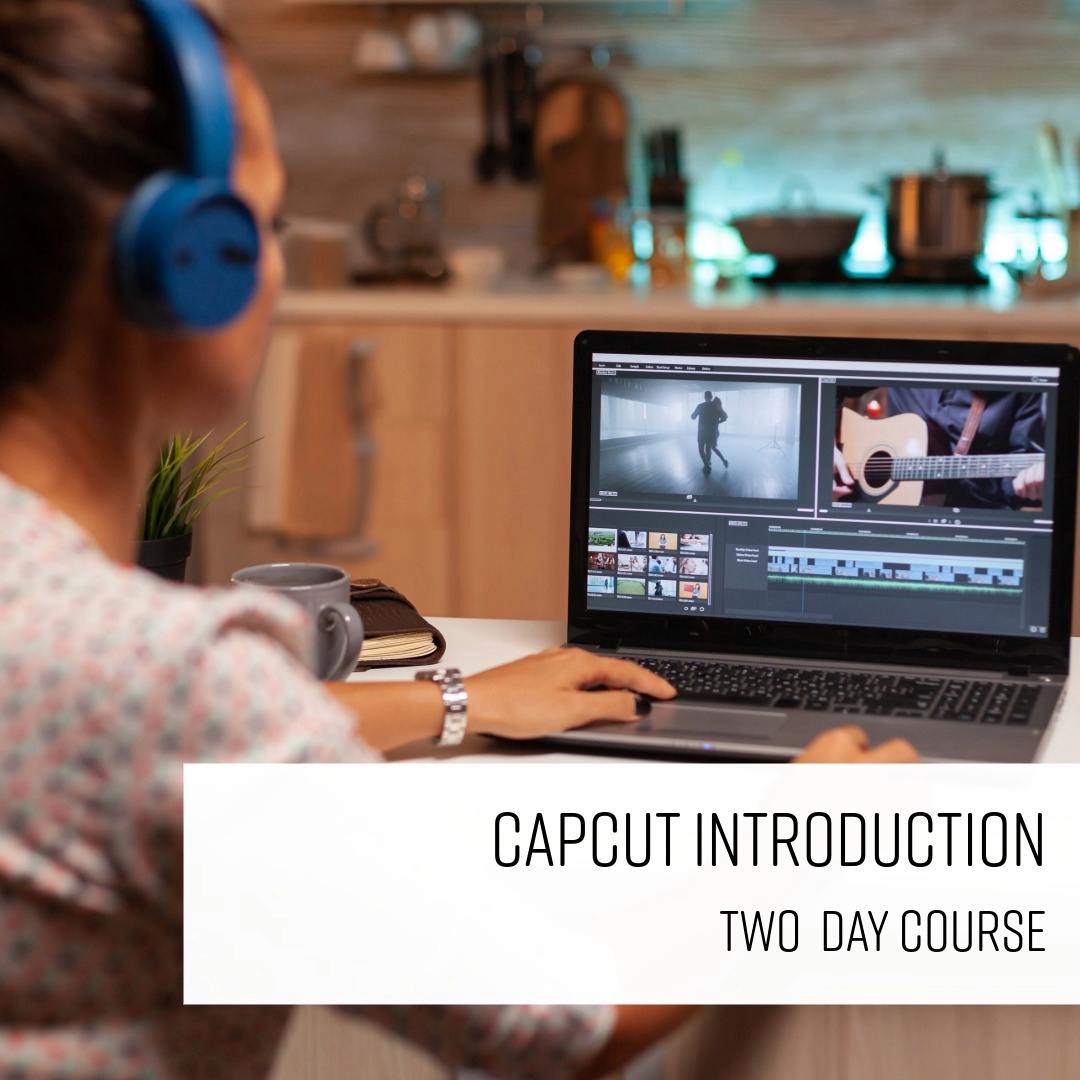
CapCut Desktop Intro
From £449 + VAT
Two day Classroom Live online Private options
Learn how to use CapCut Desktop to create polished, professional video content.
This practical two-day course covers importing and organising footage, editing timelines, audio, transitions, effects, colour correction, titles, subtitles and social media exports.
Ideal for beginners who want to develop practical video editing skills using CapCut.
- Edit videos confidently in CapCut Desktop
- Organise and manage video footage
- Build and refine professional video edits
- Improve sound, colour and visual effects
- Export for social media

Conflict Resolution
Private training: ask for a quote
One day Live online Private options
Learn to manage and resolve workplace conflict on this practical one-day course.
Covering conflict stages, emotional intelligence, using body language and tone of voice positively, verbal de-escalation techniques, conflict resolution strategies for different situations and knowing when to involve HR or management.
- Recognise the stages of escalating conflict
- Apply emotional intelligence in difficult situations
- Use body language and tone to influence outcomes
- De-escalate tension using verbal and non-verbal techniques
- Choose the right conflict resolution strategy
-
"Course was very targeted and narrowed down to daily issues we face. and loved the interaction without any cut off half way through."
Zapp - 24 July 2025
-
"Excellent delivery, and examples to illustrate meaning."
Zapp - 24 July 2025
-
"The trainer and the training were effective, and the examples were relevant."
Zapp - 24 July 2025
-
"Organising of course. Content was just what I was looking for"
Scottish Government - 4 November 2020
-
"Overall I have a very good training experience and would make recommendations to use Media Training again. Thank you"
Vanquis - 3 April 2018
- More reviews

DaVinci Resolve Colour Correction and Grading
From £499 + VAT
Two day Live online Private options
Learn professional colour correction and grading in DaVinci Resolve on this two-day specialist course.
Covering scopes, primary and secondary correction, the Qualifier, nodes, curves, masks, tracking and grade management — for editors with prior editing experience ready to master the colour workflow.
- Understand the principles of colour correction
- Use scopes to analyse and correct your shots
- Apply secondary corrections with qualifiers and masks
- Build, refine and save reusable grades
- Apply consistent grades across multiple shots
-
"The facilities, staff and overall organization was brilliant. Super friendly welcome and a very inviting and comfortable space. My trainer was very knowledgable and open to all of my questions. I feel like he was very prepared and had a comprehensive set of tools for us to learn."
14 May 2026 - With Tom
-
"My third time visiting the centre, I think everything was done brilliantly. Instructors are great at providing basics while also touching on real life elements like your own job and how you can apply it to your own work."
2 February 2026 - With Tom
-
"Tom, the lecture was fantastic! He did a great job walking through everything step by step and was really thorough in answering all my questions."
New City College Redbridge - 26 November 2025 - With Tom
-
"Tom was great in explaining everything and it was really good to have a teacher with experience in the field. The course was great and very well put together. One of the best courses I've ever done!"
American Express - 26 November 2025 - With Tom
-
"Everything was slick and easy. Staff were all friendly, knowledgeable and keen to chat."
NewsonMedia - 13 October 2025 - With Tom
- More reviews
DaVinci Resolve Video Editing Intro
From £499 + VAT
Two day Live online Private options
Learn to edit video confidently in DaVinci Resolve on this beginner-friendly two-day course.
Covering the workspace and pages, rough cut editing, audio mixing, titles, transitions, effects, basic colour grading with LUTs and export — using the free version of the software throughout.
- Navigate the DaVinci Resolve workspace and pages
- Build and refine a rough cut in the timeline
- Edit and mix audio tracks effectively
- Add titles, logos, transitions and effects
- Apply basic colour grading and export your edit
-
"Really good at working out what our knowledge already was and tailoring the course to our level. Skipping over the bits that we didn't need explaining was good and also then answered more on the bits we'd have questions on."
Gousto - 23 March 2026 - With Tom
-
"Clear, friendly, knowledgeable, and supportive It is very helpful to have the one-to-one sessions, especially the online training. It was useful to interact, ask questions and get a better understanding."
University Of Leeds - 12 January 2026 - With Vince
-
"Course was relaxed, well structured with each project building on what has been learned, with real world tips from experienced user/instructor. Excellent value allowing me to hit the ground running using this program."
21 July 2025 - With Vince
- More reviews

Digital Video Camera Techniques
From £349 + VAT
One day Private options
Master your DSLR or mirrorless camera for video on this practical one-day course.
Covering manual settings, shot composition, three-point and natural lighting, audio recording with correct mic positioning and a live interview shoot — ideal for anyone who wants to capture professional-quality footage.
- Choose the right kit and build a pre-shoot checklist
- Control exposure, aperture, shutter speed and ISO
- Frame and compose shots with confidence
- Set up three-point and natural lighting
- Record clean audio with the right microphone
-
"A range of knowledge and useful scenarios re-created to test real world filming. Useful try outs of trainers camera and equipment too."
PMI - 16 September 2026 - With Vince
-
"Taking time to explain things and answer any questions to help expand knowledge within the session"
STEP CONNECT2 - 28 August 2026 - With James
-
"Very clear delivery of inormation with very engaging learning"
22 May 2026 - With Vince
-
"Very helpful course, knowledgable instructor and good value for money."
22 May 2026 - With Vince
-
"Really organised - lots of information but in really easy to digest parts. Giving real-world tips to all of us individually, as we were all shooting for different environments and content."
Elizabeth Scarlett - 22 May 2026 - With Vince
- More reviews

Filming and Editing Interviews
From £449 + VAT
Two day Private options
Learn to film and edit professional video interviews on this two-day practical course.
Covering camera setup, framing, lighting, audio recording, directing your subject and a complete editing workflow in Premiere Pro — suitable for corporate, documentary and social media content creators.
- Configure your camera for interview shooting
- Set up lighting for a polished on-screen look
- Record clean audio with the right equipment
- Direct your subject for a confident performance
- Edit your interview to a professional finish
-
"Very informative and interactive. Opportunity to do anything and everything that is required individually."
Salto Systems - 17 September 2026 - With Vince
-
"Lots of interesting clips offering various issues to fix and learn. Fun and informative."
23 July 2026 - With Vince
-
"Good at explaining the step by step process of editing."
23 July 2026 - With Vince
-
"Free coffee in the morning is great. Also the workspaces are great."
23 July 2026 - With Vince
-
"Course structure and pace was perfect. I learnt a lot without feeling overwhelmed at any point"
University College London - 23 July 2026 - With Vince
- More reviews
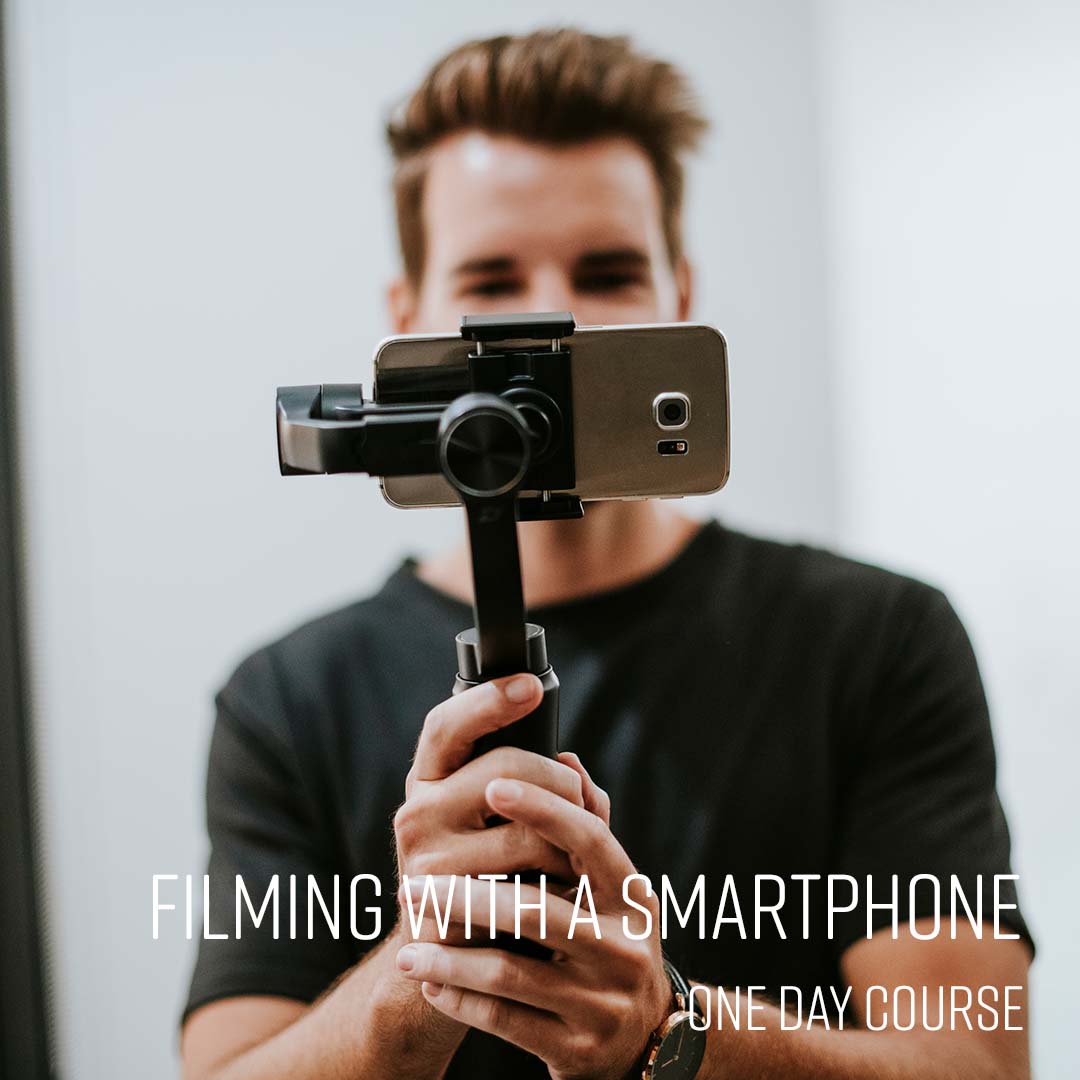
Filming With A Smartphone
From £349 + VAT
One day Private options
Learn professional smartphone video techniques on this practical one-day course.
Covering kit, phone setup and third-party apps, manual settings, audio with an external microphone, natural and three-point lighting, and interview composition — principles apply to any iOS or Android device.
- Choose the right kit and plan your shoot
- Configure your phone settings for video
- Apply manual settings for exposure and focus
- Record clean audio with an external microphone
- Light and compose professional-looking interviews
-
"Friendly team. Good on site facilities. Trainer friendly and knowledgeable"
Popeyes - 14 October 2026 - With Simon
-
"Very well organised, Simon was v well informed."
Popeyes - 14 October 2026 - With Simon
-
"The information was really useful and clearly communicated with hands on practice which made was really handy to put into practice"
Malta Tourism Authority - 7 August 2026 - With James
-
"Explanations were simple and easy to understand."
Parliament - 7 August 2026 - With James
-
"Very clear and patient lessons. Very well organised. I learnt a huge amount of useful stuff"
7 August 2026 - With James
- More reviews
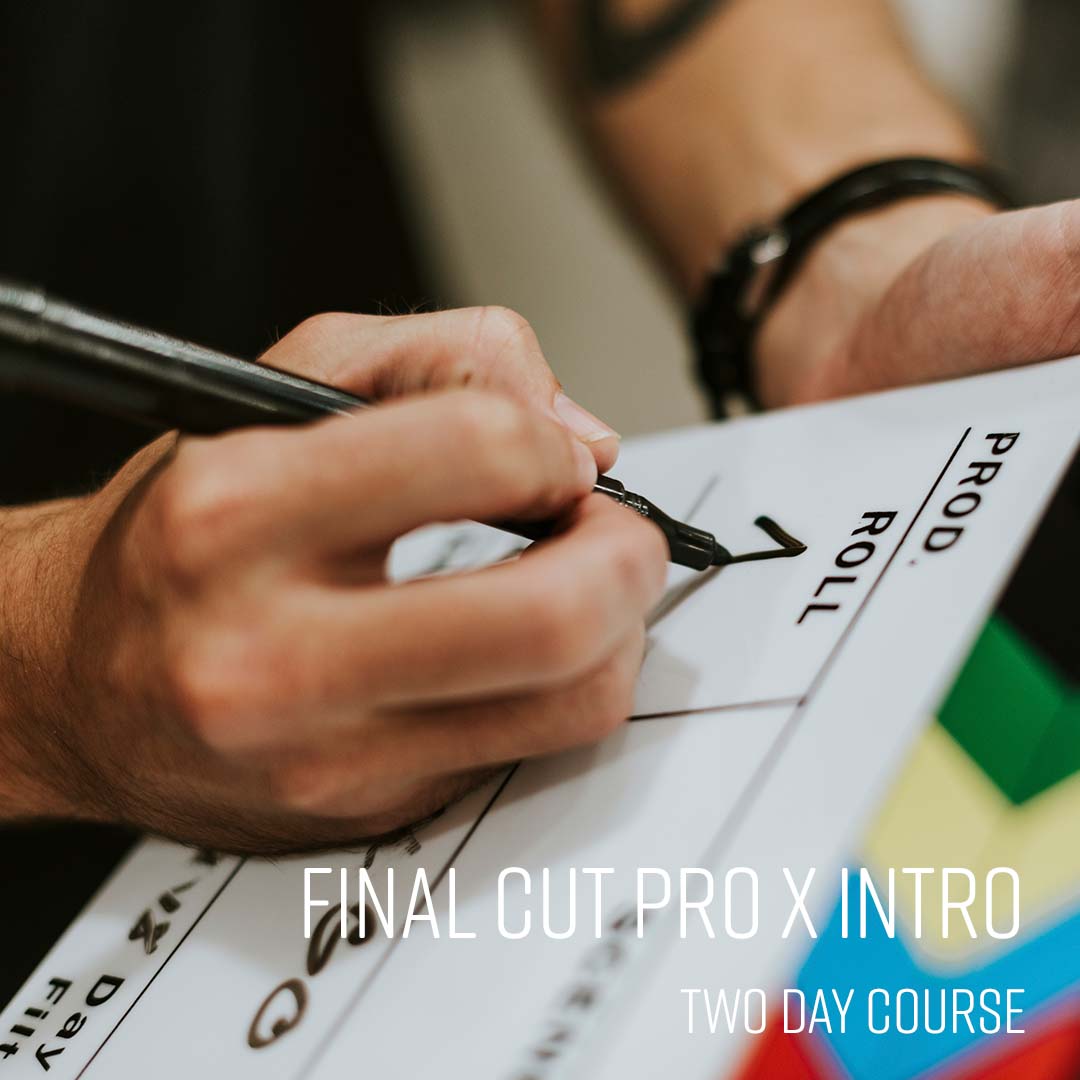
Final Cut Pro X Intro
From £449 + VAT
Two day Live online Private options
Master the Final Cut Pro workflow on this expert-led two-day introduction course.
Covering media organisation, the magnetic timeline, trimming, effects, transitions, audio mixing, titles, colour correction and export — ideal for beginners and anyone switching to Final Cut Pro from another tool.
- Understand the Final Cut Pro workflow and interface
- Import, organise and manage your media
- Edit, trim and sequence clips with precision
- Add effects, transitions and colour correction
- Mix audio and export your finished project
-
"This course was excellent - the practical training materials took me through all aspects of using final cut pro x so that i now feel confident to work on my own projects"
20 April 2026 - With Vince
-
"The course structure was well pace, and lunch was very good"
Nomura - 15 January 2026 - With Tom
-
"Great friendly and professional environment. Really enjoyed the whole experience. Would definitely use Media Training again."
15 January 2026 - With Tom
-
"The location and the staff. Really happy with it."
Cliphair LTD - 12 May 2025 - With Vince
-
"Everything! Vince was excellent - knowledgable, friendly and patient. I particularly liked that he fielded any questions I threw at him, even if they were a little outside the scope of the course. Would 100% recommend."
Logitech - 31 October 2024 - With Vince
- More reviews

Good Communication
From £449 + VAT
One day Live online Private options
Develop stronger communication skills at work on this practical one-day course.
Covering verbal and non-verbal communication, passive, aggressive and assertive behaviour, active listening, giving and receiving constructive feedback and communicating clearly in a range of professional contexts — suitable for all levels.
- Understand verbal and non-verbal communication
- Distinguish assertive, passive and aggressive styles
- Develop active listening techniques
- Give and receive constructive feedback
- Communicate clearly in professional situations
-
"Great structure of the course with great examples I could relate to. The information provided in the course could easily be translated into practical actions which made me feel more prepared and confident for the future."
9 July 2026 - With Michael
-
"Great at communicating beforehand and throughout the day."
Virgin - 16 March 2026 - With Michael
-
"Thank you so much for the course Michael! It was very useful and I will use what I learned today."
8 August 2025 - With Michael
-
"Very organised and lovely environment to learn in. Michael was a very engaging and I liked his light hearted approach to the training."
11 June 2025 - With Michael
-
"Very accessible level of training but still in depth. Lots of tools which can be taken forward. Centre was great, I will look to do more training courses here!"
Tracy Gilbert MP - 11 June 2025 - With Michael
- More reviews

Good Grammar and Punctuation
Private training: ask for a quote
One day Live online Private options
Good grammar is essential for effective communication.
This course will provide an excellent understanding of how English grammar works.
This will enhance your written communication skills, build your credibility, and help you convey your thoughts with clarity and precision.
- Construct clear, well-formed sentences
- Apply punctuation rules with confidence
- Build effective paragraphs that flow naturally
- Use tenses correctly and consistently
- Get apostrophes and plurals right every time
-
"Rosie was very knowledgeable, friendly and efficient. Worked to a schedule with plenty of rest breaks."
17 October 2025 - With Rosie
-
"Course was very helpful and having the materials to take away was great"
London Ambulance Service - 20 August 2025 - With Rosie
-
"Rosie was super knowledgeable and listened to all our questions and examples."
Kindred - 11 August 2025 - With Rosie
-
"Great training! Really knowledgeable and engaging. I liked the structure - that we were told something and then quizzed at the end of each section."
11 August 2025 - With Rosie
-
"Providing clear examples of points and utilising in an example to ensure you understand"
Kindred - 11 August 2025 - With Rosie
- More reviews

Improve your CV and LinkedIn Profile
Private training: ask for a quote
Half day Live online Private options
Learn to write a standout CV and optimise your LinkedIn profile on this practical half-day course.
Covering CV structure, tailoring to job descriptions, passing the recruiter scan, selling your skills, LinkedIn searchability and using endorsements and groups to expand your network.
- Identify the key components of a strong CV
- Tailor your CV to pass the 8-second scan
- Identify and sell your skills with confidence
- Optimise your LinkedIn profile for discoverability
- Build your network and expand your opportunities

Interview Skills for Job Applicants
Private training: ask for a quote
Half day Live online Private options
Learn how to sell yourself effectively in job interviews.
Discover techniques for managing
interview nerves and how best to highlight your skills and expertise.
Receive personalised feedback and tips to improve your interview performance.
- Prepare effectively for any interview format
- Anticipate questions and plan strong answers
- Structure responses using the S.T.A.R. method
- Showcase your experience with real evidence
- Build and communicate a compelling personal brand
-
"Excellent delivery. The topic was taught with exceptional experience/knowledge and lots of very insightful advice - thank you :)"
MOD - 1 March 2022 - With Michael
- More reviews

Midjourney Intro
From £349 + VAT
One day Live online Private options
Master AI image creation with Midjourney on this practical one-day course.
Covering how the tool works, prompt writing for consistent and high-quality results, art styles, parameters, reference images, remixing outputs and responsible use — ideal for designers, marketers and content creators who want to integrate AI into their image workflow.
- The possibilities and limitations of Midjourney
- Create original images with AI
- Write effective prompts
- Work with art styles
- Advanced prompt writing techniques
-
"Craig was friendly, warm and so knowledgable. I really enjoyed and learnt a lot from attending this course."
4 September 2026 - With Craig
-
"Craig was very articulate and really embraced Mid journey and his training style on the introduction really engaging and exciting for me to take forward.. I really enjoyed this intro very much and a great teacher with plenty of insightful tricks for the trade."
17 July 2026 - With Craig
-
"Good overview of midjourney and great knowledge of the program and others"
17 July 2026 - With Craig
-
"Interactive, engaging and enthusiastic course leader!!"
Candy Kittens - 3 September 2025 - With Craig
-
"Lots of space to delve into trialling the entire ai space - including other ai features. Instructor was super passionate and interactive"
Candy Kittens - 3 September 2025 - With Craig
- More reviews

Motion Graphics Intermediate
From £449 + VAT
Two day Live online Private options
Take your After Effects skills further on this expert-led two-day intermediate motion graphics course.
Covering bespoke text animators, advanced track mattes, blend modes, expressions, path animation and 3D shapes including a spinning logo project — for designers ready to work at a more advanced level.
- Control keyframes with precision and speed
- Apply expressions like wiggle, loop and time
- Design bespoke text animators from scratch
- Use track mattes and blend modes creatively
- Animate objects and text along paths
-
"Squeexing in a huge amount of info in a short space of time, and made really interesting with a very passionate teacher in Neil."
Smart Energy GB - 27 July 2026 - With Neil
-
"Tom was really great at adapting to the client's needs, changing things and making sure what was taught was relevant and would genuinely help in putting a project together in AE."
Loughborough University - 24 February 2026 - With Tom
-
"I really enjoyed the whole experience. It's professional, high-quality, and easy to learn."
Influencer - 19 January 2026 - With Tom
-
"Great knowledge of AfterEffects from the tutor. The facilities were really clean and tidy, and the food and drinks were great! Staff are all really friendly!"
15 September 2025
- More reviews

Motion Graphics Intro
From £449 + VAT
Two day Live online Private options
Learn to create 2D motion graphics with Adobe After Effects on this expert-led two-day introduction course.
Covering compositions, keyframe animation, text animation, importing and animating assets from Illustrator and Photoshop, multi-layered sequences and export — ideal for graphic designers new to motion.
- Set up compositions and work with the timeline
- Animate text and graphic elements with keyframes
- Import and animate assets from Illustrator and Photoshop
- Animate complex multi-layered graphic sequences
- Render and export finished motion graphics
-
"Really friendly and great at explaining everything! The best course I've ever done!"
Herbalife - 19 October 2026 - With Neil
-
"Neil was extremely knowledgable and also helpful at every step!"
SKA Observatory - 19 October 2026 - With Neil
-
"Neil was very clear, knowledgable and helpful."
19 October 2026 - With Neil
-
"Loved all of it, Tom is extremely prepared, knowledgeable and approachable. The centre is in a great location and the staff are very friendly and welcoming. I'll be looking to take the Intermediate course with him when possible."
CBRE UK - 20 August 2025 - With Tom
- More reviews

Photoshop Advanced
From £349 + VAT
One day Live online Private options
Push Photoshop to its limits on this advanced one-day expert-led course.
Covering Lab mode colour correction, alpha channels, Smart Objects, advanced blending, Camera Raw, creative filter effects, compositing and automation with scripts — for experienced users aiming to work at expert level.
- Automate tasks with scripts and power-user shortcuts
- Apply advanced colour correction and Lab mode
- Use Smart Objects and advanced blending techniques
- Process images with Camera Raw for optimal results
- Create complex effects with filters and compositing
-
"Simo was fantastic, super helpful, patient, understanding, knowledgable and made me feel really comfortable"
10 September 2026 - With Simo
-
"Tutor highly knowledgeable of subject matter."
3 July 2026 - With Simo
-
"Delivering the content, answering questions, helping when needed, taking breaks, screensharing etc. It was good to edit alongside Simo and share results, and learn real techniques."
National Portrait Gallery - 26 May 2026 - With Simo
-
"The Trainer had loads of knowledge asked us lots of questions to customise our lesson as best he could to our needs. He was super prepared."
26 May 2026 - With Simo
-
"Pausing to check if everyone is following the exercises very naturally and adjusting the training to our needs and expectations"
National Portrait Gallery - 26 May 2026 - With Simo
- More reviews

Photoshop Intermediate
From £429 + VAT
Two day Live online Private options
Expand your Photoshop skills on this expert-led two-day intermediate course.
Covering colour correction and grading, complex masking, Smart Objects, advanced layer blending, custom brushes and workflow automation using actions — for existing users ready to produce more and work more efficiently.
- Make precise colour adjustments and corrections
- Master selections, masks and complex cutouts
- Use Smart Objects and advanced layer techniques
- Build and apply custom brushes and presets
- Automate tasks with actions and batch processing
-
"Everything - the standard of teaching was brilliant and I felt very looked after and welcomed by all of the staff."
MPL - 21 October 2026 - With Simo
-
"Very patient and Helpful. I learnt so much I didn't know and eager to practice at work and outside of work"
21 October 2026 - With Simo
-
"Everything! I am disappointed I have no further training booked."
19 October 2026 - With Simo
-
"Organisation of the course was great overall, really good couple of days"
Hearst Networks - 19 October 2026 - With Simo
-
"Organised, friendly, easy to follow and understand. Overall, a really positive experience."
BBC - 19 October 2026 - With Simo
- More reviews

Photoshop Intro
From £399 + VAT
Two day Live online Private options
Start your Photoshop journey on this expert-led two-day introduction course.
Covering workspace setup, selections, colour and tone adjustment, layers, content-aware tools, portrait retouching and generative AI — the ideal foundation for anyone new to image editing or digital photography.
- Set up and customise the Photoshop workspace
- Make accurate selections for precise edits
- Adjust tone and colour with professional techniques
- Transform images using generative AI tools
- Retouch and restore images to a professional standard
-
"Very good trainer, friendly, professional and full of knowlege. it worked well even though it is remote training."
23 September 2026 - With Simo
-
"Lots of resources that we could use after the course ended to practise and cement learning"
University College London - 23 September 2026 - With Simo
-
"Very organised modules, relevant insight shared and great explanations. Great collaboration and getting course participants sharing their work and involved."
BAFTA - 23 September 2026 - With Simo
-
"Patience! Really clear instructions, making sense of tools I have used millions of times before. Super"
18 August 2026 - With Simo
-
"Simon is a very good trainer; this was the 2nd time we have booked him. He is very knowledgeable and clear when teaching. He also adapts the content of the course to suit our needs."
ITV Studios - 5 August 2026 - With Simon
- More reviews

Portrait Photography
Private training: ask for a quote
One day Private options
Develop your portrait photography skills on this practical one-day course led by a professional photographer.
Covering lenses and focal lengths, studio lighting setups, flash and modifiers, sculpting with natural light and reflectors, subject positioning, headshots, environmental portraits and reviewing your own images.
- Shoot flattering portraits in any style
- Choose the right equipment for the job
- Frame and position subjects with intention
- Shape portraits using natural light
- Control and modify studio lighting setups
-
"Great facilities, knowledgeable and friendly tutor."
23 January 2026 - With Simon
-
"Putting lessons into practice throughout the day, knowledgeable instructor and tailored to what I needed to learn"
23 May 2025 - With Simon
-
"The training was great - really interesting course and learnt a lot that I can use practically."
Anglo American - 19 September 2024 - With Simon
-
"Great instructor and balance of practical and theory"
Anglo American - 19 September 2024 - With Simon
-
"All totally clear and easily digestible again!"
Anglo American - 19 September 2024 - With Simon
- More reviews

Premiere Colour Grading
From £349 + VAT
One day Live online Private options
Learn professional colour grading in Adobe Premiere on this expert-led one-day specialist course.
Covering colour theory, scopes, primary and secondary correction, qualifiers, masks, grading for mood and atmosphere, and Lumetri Looks — for editors aiming for a polished, cinematic finish.
- Understand the fundamentals of colour theory
- Correct luminance, contrast and chrominance
- Apply primary and secondary colour corrections
- Grade footage to create mood and atmosphere
- Use Lumetri Looks and save reusable grades
-
"Tom was really knowledgeable, his teaching style was engaging and as a group we definitely learned a lot. Thank you"
14 October 2026 - With Tom
-
"Very clear explanation's and good examples"
10 July 2026 - With Tom
-
"Being patient and answering questions. Covering a lot but being really knowledgeable"
10 July 2026 - With Tom
-
"Great explanations, even for the basics - never assumed knowledge. Answered questions well and covered everything I expected"
Dementia UK - 10 July 2026 - With Tom
-
"Very welcoming atmosphere, as well as knowledgeable, informative and thorough. Overall great teaching plan."
Audere Ltd - 17 March 2026 - With Tom
- More reviews

Premiere Advanced
From £349 + VAT
One day Live online Private options
Push your Premiere Pro skills to a broadcast standard on this advanced expert-led one-day course.
Covering multicam editing, advanced audio, time remapping, LOG footage colour grading and After Effects integration — ideal for experienced editors ready to reach the next level professionally.
- Set up sequences for multi-channel broadcast output
- Speed up your edit with shortcuts and techniques
- Edit multicam footage with seamless audio
- Apply motion, transparency and advanced effects
- Colour grade and create graphics at expert level
-
"Adapting to what trainees wanted to learn. Explaining clearly step by step, so it was easy to follow. Free drink was great too."
Ministry Of Sound - 9 October 2026 - With Tom
-
"Excellent teacher worked really well with a mixed level class"
Fresh Air - 9 October 2026 - With Tom
-
"Working examples of colour correction and sound editing."
19 August 2026 - With James
-
"This is was brilliant, and really helpful answering questions"
Penguin Random House - 19 June 2026 - With Tom
-
"I ended up having a one on one session with the trainer who was really knowledgable and able to tailor the class to my needs which was great! The centre staff were all friendly and helpful."
Historic Royal Palaces - 13 February 2026 - With Tom
- More reviews

Premiere Intermediate
From £429 + VAT
Two day Live online Private options
Build on your Premiere Pro skills on this two-day intermediate course.
It covers proxy workflows, multicam editing and audio sync, broadcast audio mastering, keyframe animation, motion graphics using the Essential Graphics panel, and colour correction and grading.
It is for editors ready to take on complex, professional projects.
- Configure Premiere for an efficient editing setup
- Edit multicam footage and sync multiple angles
- Mix and master audio to a broadcast standard
- Add animation, motion graphics and effects
- Colour correct footage for a polished finish
-
"Great, focused training - very in-depth and helpful"
Times - 7 October 2026 - With Tom
-
"The classroom set up is excellent and the intermediate prem pro editing is quite a jump in skill but Tom is very knowledgeable"
7 October 2026 - With Tom
-
"Tailoring content to what we needed. The course moved at a speed that was really good and was easy to follow. Alex was incredible! It was nice to have the spaced breaks."
24 September 2026 - With Alexandra
-
"Really well structured course. Lots of useful tips and tricks delivered in an accessible manner. Learnt a lot"
MOD - 24 September 2026 - With Alexandra
-
"Really detailed and comprehensive guide - felt very supported and never like any question was a hinderance."
Usborne - 23 September 2026 - With James
- More reviews

Premiere Intro
From £399 + VAT
Two day Live online Private options
Master the essentials of Adobe Premiere on this expert-led two-day course.
You'll cover the complete editing workflow — importing and organising footage, cutting sequences, mixing audio, adding titles and effects, colour correcting and exporting finished video.
Ideal for beginners and career changers looking to edit professionally.
- Import, organise and manage your footage
- Cut and sequence clips in the Timeline
- Mix and clean audio tracks effectively
- Add titles, graphics and visual effects
- Export finished video for any platform
-
"Class was at a great pace and really comfortable atmosphere to learn in."
15 October 2026 - With Vince
-
"Manageable chunks of work at each stage but also not too slow."
Milwaukee - 15 October 2026 - With Vince
-
"All information provided before the training. Friendly and approachable staff. Clear instructions"
Cripps Llp - 15 October 2026 - With Vince
-
"Nice interiors, made me feel at home which was nice Loved the different tips and tricks and advice that was given by our trainer Great things to takeaway and learnings to bring back to my workplace"
15 October 2026 - With Vince
-
"Really clear instructions, useful tips and a great teacher"
30 September 2026 - With Matt
- More reviews

Product Photography
Private training: ask for a quote
One day Private options
Learn professional product photography on this practical one-day course.
Covering shoot planning, camera settings, lens selection, white balance, colour temperature, light tent setup, composition, exposure bracketing and photographing small objects and jewellery — ideal for small business owners and e-commerce sellers.
- Choose the right equipment and set up your space
- Master manual camera settings for sharp results
- Shoot effectively with a lightbox or tent
- Frame and compose product shots with confidence
- Handle both large and small objects successfully
-
"It was really helpful having Matt onsite to go through our kit. It enabled the course to be moulded around us and our questions. Really valuable."
TTPplc - 23 April 2026 - With Matt
-
"Understanding our goals and helping us achieve the results we needed"
Lathams - 18 March 2026 - With Simon
-
"Helping us understand everything we was having problems with and finding ways to fix those problems."
Lathams Home - 18 March 2026 - With Simon
-
"Catered to my requirements for work product photography. Aimed at my level and checked i had understood it. Practical examples of the situations i would be photographing. very usefull."
Beckhoff Automation Ltd - 9 January 2026 - With Simon
-
"Great venue, great knowledge from trainer"
NewMed Ltd - 10 July 2025 - With Simon
- More reviews
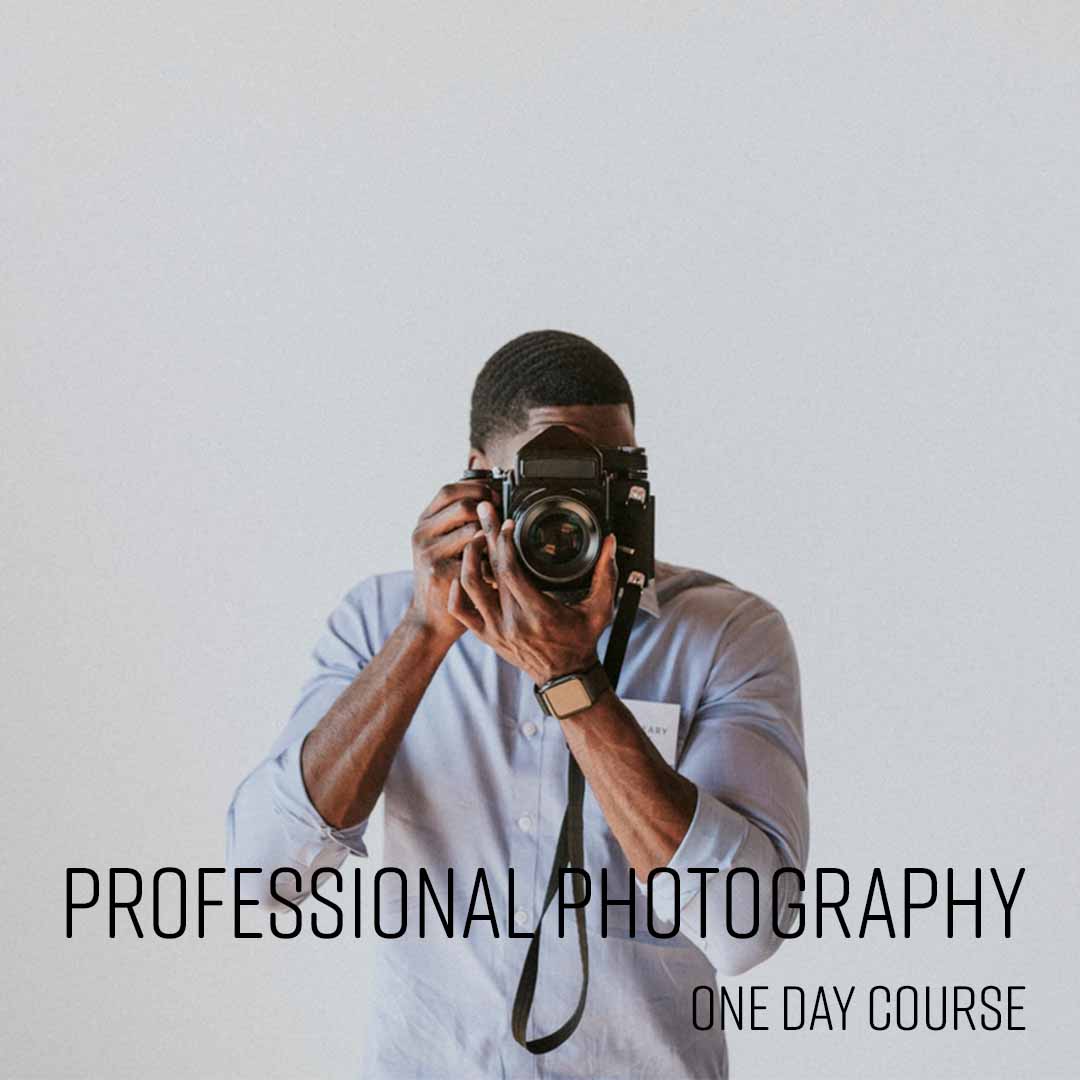
Professional Photography
From £349 + VAT
One day Private options
This course will enable you to master the technical aspects of photography and get the very
best from your camera.
The course explains aperture and shutter speeds as well as
professional lighting and composition techniques.
This will allow you to consistently capture beautiful, high-quality images.
- Get the most from your camera's full feature set
- Tell compelling visual stories through your lens
- Use aperture creatively to control depth of field
- Freeze or convey motion with shutter speed
- Bracket shots to guarantee the perfect exposure
-
"Understanding what we all shoot for example events and tailored the course to fit."
6 August 2026 - With Matt
-
"Great course. Really engaging and easy to follow. Really nice space and atmosphere, and good group size for the day."
Allianz Stadium - 17 June 2026 - With Simon
-
"Simon was very knowledgeable and patient taking time to answer questions and provide feedback"
17 June 2026 - With Simon
-
"Good number of participants from varied backgrounds nice snacks and welcome drink the pdf was v informative and simon's pictures are lovely good pace of the session"
Sizewell C - 17 June 2026 - With Simon
-
"Really knowledgeable. Was great to do a bit of practical alongside the technical."
17 June 2026 - With Simon
- More reviews

Shooting Video with a DSLR
From £449 + VAT
Two day Private options
Learn to shoot and edit professional video with your DSLR on this two-day practical course.
Covering camera setup, manual settings, composition, three-point lighting, audio recording and a complete editing workflow in Premiere Pro — you'll shoot a real interview and deliver a finished edit.
- Set up your DSLR correctly for video shooting
- Control exposure, focus and white balance manually
- Frame, compose and light your shots effectively
- Capture clean, broadcast-quality audio
- Import, edit and export footage in Premiere Pro
-
"Matt is an excellent trainer with a good treaching manner and infinite patience"
12 August 2026 - With Matt
-
"Really informative, great learning resources, was most effective when we could be hands on."
National Theatre - 22 June 2026 - With James
-
"Very good overall, great information and well delivered by James"
22 June 2026 - With James
-
"James was great, really friendly and helpful and answered all of my questions. The course was pitched exactly right for my current skillset."
University Of Leeds - 20 November 2025 - With James
-
"Excellent, accessible and well-explained walkthrough. Really enjoyed it! Thanks Matt!"
Immediate Media - 24 October 2025 - With Matt
- More reviews

Smartphone Photography
From £349 + VAT
One day Private options
Learn creative smartphone photography on this practical one-day course for iOS and Android users.
Covering camera settings, lens options, manual focus and exposure, composition and lighting techniques, photographing portraits, events and products professionally, low-light techniques and editing on your phone.
- Configure manual camera settings on iOS and Android
- Apply focus, exposure and white balance manually
- Use composition and lighting for compelling shots
- Photograph portraits, products and events professionally
- Edit images using your phone's built-in tools
-
"Tailoring the content exactly to what we needed - perfect."
30 April 2026 - With Simon
-
"It was good to have practical sessions after the tutorial to help cement the ideas."
30 April 2026 - With Simon
-
"Explaining through all concepts of the smartphone camera features and providing great examples for work related scenarios."
22 January 2026 - With Simon
-
"Simon was great at breaking down the technical elements whilst being able to tailor the examples to the attendees work based needs."
Walder Sharp - 22 January 2026 - With Simon
-
"Everyone was super friendly and professional, a really nice and comfortable environment too. Trainer was very knowledgeable, made it easy to ask questions and made the session very interactive, 10/10!"
Frankham Consultancy Group - 5 January 2026 - With Simon
- More reviews

Social Media Marketing Advanced
From £349 + VAT
One day Live online Private options
Master advanced social media marketing on this expert-led one-day course.
Covering competitor analysis, social listening tools, paid social advertising across Facebook, X, Instagram and LinkedIn, targeting and ad format best practice and building a data-driven social strategy — for experienced social media marketers.
- Conduct a thorough competitor analysis
- Use social listening to track brand and industry trends
- Plan and evaluate paid social campaigns
- Target effectively across Facebook, Instagram and LinkedIn
- Build a data-driven social media strategy
-
"Very thorough course, great at answering any questions. Extremely knowledgeable and came equipped with real life scenarios."
Crown Prosecution Service - 14 October 2026 - With Amy
-
"The session was really informative and I enjoyed the practical activities that helped reinform what I learnt."
Bridebook - 14 October 2026 - With Amy
-
"Real world examples throughout the course, clear agenda, relevant topics."
3 June 2026 - With Amy
-
"The presentation was good and the information presented by Amy was very helpful. I wanted to improve engagement and I believe got the right information to help me do this"
NHS Great Ormond Street Hospital - 22 April 2026 - With Amy
-
"Great instructor, very clear and concise."
National Theatre - 22 April 2026 - With Amy
- More reviews

Social Media Marketing Intro
From £329 + VAT
One day Live online Private options
Learn social media marketing on this practical one-day introduction course.
Covering the main platforms, creating original content, platform-specific copywriting, audience engagement, content calendar planning, tools, hashtags and growing your following — suitable for beginners and those refreshing their social media skills.
- Understand the key platforms and how they differ
- Create original content that stands out
- Write copy that engages your target audience
- Build a content calendar and posting strategy
- Analyse what works and refine your approach
-
"Was very informative and easy to understand. welcoming atmosphere and encouraging ideas"
29 June 2026 - With Michael
-
"Very knowledge about all the social media platforms. Gave us really good examples on how you can use social media content, what platforms you can use, - this was super helpful."
Old Thorns - 29 June 2026 - With Michael
-
"Was great fun and felt super comfortable, It was lovely to be in a smaller group of people."
Old Thorns - 29 June 2026 - With Michael
-
"Very well structured, practical and interactive. Friendly and welcoming team. Relaxed and informative"
19 May 2026 - With Nathan
-
"Nathan sharing the content for the day - clear structure and great knowledge so I knew what was coming up and I learned a lot. Great layout and use of space in the room with the sofas, eating area and workstations. I felt comfortable to work and engage. Loved the welcome as I came into the building this morning - the reception desk was clearly signed and Jules and Sascha were very friendly and welcoming which made me feel relaxed."
NHS Innovation Accelerator - 19 May 2026 - With Nathan
- More reviews

Stress Management
Private training: ask for a quote
One day Live online Private options
Learn how to equip yourself with valuable skills to navigate life's challenges with resilience
and maintain a healthier, more stress-free lifestyle.
Discover how to develop effective coping strategies and relaxation techniques to manage
stress when it arises.
- Understanding stress and its effects
- Identifying personal stress factors
- Coping strategies for work and home
- Managing stress levels
- Creating a personalised stress action plan
-
"1:1 Learning - great environment. Very effective and beneficial."
WORLD NUCLEAR TRANSPORT INSTITUTE - 30 September 2019 - With Tina
- More reviews

Structuring Your Remote Working Day
Private training: ask for a quote
Half day Live online Private options
Learn to structure your remote working day more effectively on this practical half-day course.
Covering home workspace setup, day planning and time management techniques, pacing your work and taking breaks, managing motivation and the wellbeing challenges of working remotely or from home.
- Arrange your home workspace for maximum focus
- Structure and plan your working day effectively
- Use time management techniques to stay on task
- Pace your work and take effective breaks
- Manage the wellbeing challenges of remote working
-
"Michael was absolutely fantastic- really personalised course and so helpful. Thank you!"
UK Parliament - 19 April 2021 - With Michael
-
"Lots of practical skills and examples used that can be taken and put straight into practice. Made very relevant and tailored to individuals. Overall very helpful. :)"
Ongo - 22 January 2021 - With Michael
-
"Same feedback as yesterday from me! Great trainer who interacts well with the participants, answers questions and is overall helpful and friendly."
Logic Design - 8 October 2020 - With Michael
-
"The trainer was really friendly and the course was enjoyable."
Logic Design & Consultancy Ltd. - 8 October 2020 - With Michael
-
"Keeping everyone engaged and feeling involved"
Logic Design - 8 October 2020 - With Michael
- More reviews

Team Working
From £449 + VAT
One day Live online Private options
Develop your team working skills on this practical one-day course.
Covering what makes teams effective, personality types and team roles, using individual strengths collectively, developing effective team communication, managing team dynamics constructively, building trust and accountability and supporting people through change.
- Understand what makes teams effective and productive
- Identify personality types and team roles
- Use individual strengths to improve collective output
- Manage team dynamics and disagreements constructively
- Build trust, accountability and shared values
-
"This was the first time I've ended up doing a one-to-one course and I actually really enjoyed it as a format"
Rail Delivery Group - 19 September 2024 - With Michael
-
"Michael was absolutely brilliant, I would highly recommend him to the rest of my team."
Lloyds Banking Group - 24 May 2024 - With Michael
-
"The training and location were exceptional."
Houlihan Lokey - 24 May 2024 - With Michael
-
"Very interactive course. Michael kept the course interesting and engaging throughout."
Dragados - 12 October 2023 - With Michael
-
"Michael was very engaging, funny and friendly. He made the subject extremely interesting, with his funny stories etc. It will make it easier to remember and recall when needed in the future. Ah the story about fish and yogurt! Thank you for an extremely informative interesting and very entertaining course. The premises are gorgeous. Impressed that the loos were spotless and the food was delicious. Thank you."
Russell Publishing Limited - 3 May 2023 - With Michael
- More reviews

TikTok for Business
Private training: ask for a quote
One day Live online Private options
Learn to use TikTok effectively for business on this practical one-day course.
Covering the algorithm, platform rules, short-form storytelling, filming and editing in the TikTok app, using effects and trends, growing your audience organically and paid promotion — for marketers and business owners.
- Understand TikTok's algorithm and platform rules
- Tell a compelling story in 60 seconds
- Film and edit content using the TikTok app
- Use effects, sounds and trends to boost reach
- Grow your audience organically and through paid ads
-
"Everything was well organised, I got the link to the course and list of requirements well before the start date Everyone I communicated with as well was super helpful and polite"
5 August 2026 - With Amy
-
"Great at answering ad hoc questions and tailoring the course to what we needed"
Simply Business - 19 August 2025 - With Natalia
-
"The centre is brilliant! From start to finish it all runs smoothly and the courses are tailored and advertised as they should be."
CELLER8 - 2 May 2025 - With Natalia
-
"General knowledge and delivery of that knowledge on the subject area (TikTok) was exemplary."
Royal College Of Nursing - 21 March 2025 - With Natalia
-
"Great teacher, atmosphere and training strucuture"
Penguin Random House - 6 March 2025 - With Natalia
- More reviews

Time Management
From £449 + VAT
One day Live online Private options
Learn to prioritise tasks, set goals, and manage your time efficiently.
Discover time management techniques that help reduce stress by ensuring you have control
over your tasks and deadlines.
Discover strategies that make you more productive and give you
a better work-life balance.
- Understanding how you work
- Setting personal and business goals
- Planning, delegation and prioritisation
- Managing procrastination
- Controlling common causes of time wasting
-
"Pacing was good; covered a lot but Michael kept things moving. Breaks were well timed. Small group size was great for tailored approach"
HL - 14 July 2026 - With Michael
-
"Good catering. Good workspace - quiet and intimate but not crowded. Teacher was very engaging and provided helpful advice. Good breaks."
House Of Commons - 29 January 2026 - With Michael
-
"Interactive session, enjoyed small group session which enabled it to be tailored to our needs and discuss relevant specific examples. Well structured. Great venue."
Impetus - 29 January 2026 - With Michael
-
"Great training, very appropriate for my position + changed due to my expertise."
The Folio Society - 7 November 2025 - With Michael
-
"Providing examples and lots of scenarios"
IOPC Funds 1992 - 7 November 2025 - With Michael
- More reviews

Video Editing for Social Media
From £329 + VAT
One day Live online Private options
Learn to create engaging short-form video content for social media using CapCut on this practical one-day course.
Covering editing essentials, narrative building, animations, transitions, titles, colours and exporting for any platform — ideal for content creators and social media managers.
- Get up and running quickly with CapCut
- Import and organise video, audio and images
- Build a compelling narrative with your footage
- Add animations, transitions and titles
- Resize and export video for any social platform
-
"Everything explained clearly and simply, happy to answer questions, very interactive"
Leukaemia UK - 15 October 2026 - With Alexandra
-
"I liked the structure of the class, really easy to understand."
Tt - 4 September 2026 - With Tom
-
"Great to go through everything slowly to ensure we understand every aspect of the process and the rationale behind it."
26 August 2026 - With Tom
-
"Course was brilliant, fast pace but with opportunities to pause and check things. Felt very tailored to each of us too, random tips thrown in based on what we're working on in our jobs etc."
26 August 2026 - With Tom
-
"Having the right equipment for my needs, providing shortcuts where needed and being pretty patient with a novice student."
26 August 2026 - With Tom
- More reviews