Office Administrator
Typical UK salary range £18,000 - £30,000
Guide figure. Pay varies by employer, location and experience.
They may also assist with HR and financial activities. Strong organisation, communication, and multitasking skills are essential.
Typical UK salary range £18,000 - £30,000
Guide figure. Pay varies by employer, location and experience.
They may also assist with HR and financial activities. Strong organisation, communication, and multitasking skills are essential.

Key skills for Office Administrators
- Administrative Skills
- Attention to Detail
- Communication Skills
- Organisation
- Time Management
Find Office Administrator roles
Search live vacancies on these job boards.
Courses for Office Administrators
Recommended training to build the skills employers look for in this role.

AI Ethics
From £349 + VAT
One day Classroom Live online Private options
Build practical AI ethics skills on this one-day course.
Covering fairness, bias, privacy, accountability, the EU AI Act, UK regulatory frameworks and implementing ethical safeguards — using real case studies throughout.
Ideal for professionals responsible for AI use within their teams or organisations.
- Identify and assess ethical risks in AI systems
- Recognise bias, fairness and transparency issues
- Conduct privacy and fairness assessments
- Navigate accountability questions with confidence
- Implement ethical safeguards
-
"Great experience of new developments in a fast moving area."
10 August 2026 - With Simon
-
"Great overview of the topic with really good working examples. Great to share examples with other delegates to see what challenges they are facing and how they deal with them which will be super helpful."
10 August 2026 - With Simon
-
"Explaining the subject with real world examples."
SciencePhoto Library - 10 August 2026 - With Simon
- More reviews

Assertiveness
From £449 + VAT
One day Live online Private options
Build your assertiveness skills on this practical one-day course.
Covering assertive, passive and aggressive behaviour styles, honest self-assessment, expressing yourself clearly without aggression, positive language and voice control, applying assertiveness in meetings and difficult conversations and setting and maintaining boundaries.
- Recognise assertive, passive and aggressive behaviour
- Assess and improve your own communication style
- Express yourself clearly and directly without aggression
- Apply assertiveness in meetings and difficult conversations
- Set and maintain professional boundaries confidently
-
"So pleased the course went ahead - very useful. Key points addressed and support given. Opportunity to ask questions and relate to my own personal experience. Good examples provided too of different scenarios to help me remember key points. Thank you!"
8 May 2026 - With Michael
-
"Clear communication and friendly, inclusive environment."
BBC - 3 February 2026 - With Michael
-
"I love that this was a small cohort - made it easier to be vulnerable. Michael was incredible. He understood all our challenges (given the whole class was female) and was empathetic. I've taken a lot from this course and would recommend to others."
CLEO Systems - 3 February 2026 - With Michael
-
"Very welcoming and friendly arrival. Comfortable surroundings. Friendly, knowledgeable and interesting trainer."
EBRD - 3 February 2026 - With Michael
-
"Michael was very informative and had lots of real life examples which helped with understanding."
24 September 2025 - With Michael
- More reviews

Conflict Resolution
Private training: ask for a quote
One day Live online Private options
Learn to manage and resolve workplace conflict on this practical one-day course.
Covering conflict stages, emotional intelligence, using body language and tone of voice positively, verbal de-escalation techniques, conflict resolution strategies for different situations and knowing when to involve HR or management.
- Recognise the stages of escalating conflict
- Apply emotional intelligence in difficult situations
- Use body language and tone to influence outcomes
- De-escalate tension using verbal and non-verbal techniques
- Choose the right conflict resolution strategy
-
"Course was very targeted and narrowed down to daily issues we face. and loved the interaction without any cut off half way through."
Zapp - 24 July 2025
-
"Excellent delivery, and examples to illustrate meaning."
Zapp - 24 July 2025
-
"The trainer and the training were effective, and the examples were relevant."
Zapp - 24 July 2025
-
"Organising of course. Content was just what I was looking for"
Scottish Government - 4 November 2020
-
"Overall I have a very good training experience and would make recommendations to use Media Training again. Thank you"
Vanquis - 3 April 2018
- More reviews

Customer Service
Private training: ask for a quote
One day Live online Private options
Develop your customer service skills on this practical one-day course.
Covering what outstanding service looks like, identifying and responding to customer needs, handling complaints and difficult customers, using assertiveness, de-escalating challenging situations and building the habits that drive lasting customer loyalty.
- Identify and respond to customer needs and expectations
- Spot problems before they escalate
- Handle difficult customers and complaints professionally
- Use assertiveness to manage challenging situations
- Build habits that drive lasting customer loyalty
-
"Really good course that was full of practical tips."
Metric Accountants - 17 September 2025 - With Michael
-
"Delivery of the course was great, and very engaging"
Metric Accountants Ltd - 17 September 2025 - With Michael
-
"Michael delivered an enthusiastic, energetic, and engaging day of training. All staff on site were friendly, professional and welcoming. Food snacks and drinks were all excellent."
Metric Accountants - 17 September 2025 - With Michael
-
"The training was informative. Michael was well prepared with relevant subject. I did enjoy his references from famous people , and movies. Michael kept me engaged throughout the sessions. Very positive."
Metric Accountants Ltd - 17 September 2025 - With Michael
-
"Very enthusiastic, great venue and practical real life examples"
Metric Accountants - 17 September 2025 - With Michael
- More reviews

Good Communication
From £449 + VAT
One day Live online Private options
Develop stronger communication skills at work on this practical one-day course.
Covering verbal and non-verbal communication, passive, aggressive and assertive behaviour, active listening, giving and receiving constructive feedback and communicating clearly in a range of professional contexts — suitable for all levels.
- Understand verbal and non-verbal communication
- Distinguish assertive, passive and aggressive styles
- Develop active listening techniques
- Give and receive constructive feedback
- Communicate clearly in professional situations
-
"Great structure of the course with great examples I could relate to. The information provided in the course could easily be translated into practical actions which made me feel more prepared and confident for the future."
9 July 2026 - With Michael
-
"Great at communicating beforehand and throughout the day."
Virgin - 16 March 2026 - With Michael
-
"Thank you so much for the course Michael! It was very useful and I will use what I learned today."
8 August 2025 - With Michael
-
"Very organised and lovely environment to learn in. Michael was a very engaging and I liked his light hearted approach to the training."
11 June 2025 - With Michael
-
"Very accessible level of training but still in depth. Lots of tools which can be taken forward. Centre was great, I will look to do more training courses here!"
Tracy Gilbert MP - 11 June 2025 - With Michael
- More reviews

Good Grammar and Punctuation
Private training: ask for a quote
One day Live online Private options
Good grammar is essential for effective communication.
This course will provide an excellent understanding of how English grammar works.
This will enhance your written communication skills, build your credibility, and help you convey your thoughts with clarity and precision.
- Construct clear, well-formed sentences
- Apply punctuation rules with confidence
- Build effective paragraphs that flow naturally
- Use tenses correctly and consistently
- Get apostrophes and plurals right every time
-
"Rosie was very knowledgeable, friendly and efficient. Worked to a schedule with plenty of rest breaks."
17 October 2025 - With Rosie
-
"Course was very helpful and having the materials to take away was great"
London Ambulance Service - 20 August 2025 - With Rosie
-
"Rosie was super knowledgeable and listened to all our questions and examples."
Kindred - 11 August 2025 - With Rosie
-
"Great training! Really knowledgeable and engaging. I liked the structure - that we were told something and then quizzed at the end of each section."
11 August 2025 - With Rosie
-
"Providing clear examples of points and utilising in an example to ensure you understand"
Kindred - 11 August 2025 - With Rosie
- More reviews

Google Sheets Intro
Private training: ask for a quote
One day Live online Private options
This Google Sheets course will give you the skills to efficiently set up spreadsheets,
manage and analyse data, automate tasks, and collaborate effectively with your
colleagues for improved productivity and decision-making.
Learn valuable time-saving techniques and shortcuts to navigate and work with data
in Google Sheets, enabling you to be more productive and get tasks done more
quickly.
- Create, navigate and manage spreadsheets
- Import, clean and manipulate data sets
- Write formulas and functions that save time
- Visualise data clearly with charts and tables
- Share and collaborate on live spreadsheets
-
"Mon was oustanding! Brilliant- waited a long time to take the course with Mon and it was worth the wait. Thank you so much!"
Zapp - 19 September 2025 - With Monica
-
"Fantastic course, trainer is very knowledgeable and supportive. The office was also clean and lunch / refreshments were great."
Zapp - 19 September 2025 - With Monica
-
"The course is very well structured, we covered a lot of things but it was not a struggle to go through it. Monica is really engaging and very easy to follow. Definitely a very positive experience"
Zapp - 19 September 2025 - With Monica
-
"Fantastic trainer. It was very tailored to what we needed"
Zapp - 19 September 2025 - With Monica
-
"Trainer was very friendly and covered all our doubts"
Propstore - 26 September 2024 - With Monica
- More reviews

Improve your CV and LinkedIn Profile
Private training: ask for a quote
Half day Live online Private options
Learn to write a standout CV and optimise your LinkedIn profile on this practical half-day course.
Covering CV structure, tailoring to job descriptions, passing the recruiter scan, selling your skills, LinkedIn searchability and using endorsements and groups to expand your network.
- Identify the key components of a strong CV
- Tailor your CV to pass the 8-second scan
- Identify and sell your skills with confidence
- Optimise your LinkedIn profile for discoverability
- Build your network and expand your opportunities

Interview Skills for Job Applicants
Private training: ask for a quote
Half day Live online Private options
Learn how to sell yourself effectively in job interviews.
Discover techniques for managing
interview nerves and how best to highlight your skills and expertise.
Receive personalised feedback and tips to improve your interview performance.
- Prepare effectively for any interview format
- Anticipate questions and plan strong answers
- Structure responses using the S.T.A.R. method
- Showcase your experience with real evidence
- Build and communicate a compelling personal brand
-
"Excellent delivery. The topic was taught with exceptional experience/knowledge and lots of very insightful advice - thank you :)"
MOD - 1 March 2022 - With Michael
- More reviews

Microsoft Excel Advanced
From £229 + VAT
One day Live online Private options
Master Excel's advanced data analysis features on this expert-led one-day course for experienced users.
Covering nested formulas, VLOOKUP, INDEX and MATCH, data validation, formula auditing and evaluation tools, PivotTables and slicers, interactive charts linked to PivotTables, macros and Power Query.
- Master VLOOKUP, INDEX, MATCH and nested formulas
- Reduce audit risk with data validation techniques
- Build and manage PivotTables with slicers
- Create interactive charts linked to PivotTables
- Automate tasks with macros and Power Query
-
"Explanation was good , pacing of the session, Kevin is a great tutor"
14 October 2026 - With Kevin
-
"I have had Kevin before he is always brilliant and keeps your attention throughout whilst making sure information is delivered in an understandable manner"
14 October 2026 - With Kevin
-
"Great attention to details and comments/questions from those attending. Content was readily available and Kevin was on the ball with any issues we had or queries we had. Also, willing to assist despite technical difficulties."
14 October 2026 - With Kevin
-
"Kevin knew the topic extremely well, very positive approach and helpful even with training 2 people who had a very different level of knowledge and understanding of excel."
Safran Nacelles - 13 October 2026 - With Kevin
-
"Great at explaining things and lots of samples given"
NHS - 5 October 2026 - With Sue
- More reviews

Microsoft Excel Dashboards
From £349 + VAT
One day Live online Private options
Learn to build interactive Excel dashboards on this expert-led one-day specialist course.
Covering Power Query, data preparation and cleaning, PivotTables, dynamic charts linked to PivotTables, slicers, dashboard layout and design, formulas, named ranges and conditional formatting — prior Excel experience required.
- Import and prepare data dynamically using Power Query
- Build PivotTables and create charts linked to them
- Add slicers and filters for dashboard interactivity
- Design clear, logical dashboard layouts
- Use formulas and conditional formatting to tell a story
-
"Explaining the concepts so that it was easy to understand and providing the examples so that we had something to work through. Kevin was patient and helpful to ensure we understood what we needed to do and had the correct method we could apply to our roles going forward."
3 November 2025 - With Kevin
-
"Kev was a brilliant teacher, super friendly, super helpful and I felt like he took the time to explain things really well. Highly recommend. Thank you Kev!"
24 September 2025 - With Kevin
-
"Kevin was a very kind, helpful, knowledgable teacher, who was very well prepared and clear (and very patient!) in his instruction and training. Thank you! I was beginner level with excel and he really took his time and made everything 'bite size' to ensure we were able to digest the new information as we went along. There were also a good amount of breaks and I really benefited from the small class so that we had a lot of hands-on and personalised help."
Anna Bradbury - 24 September 2025 - With Kevin
-
"Good courses on offer and delivered remotely and trainers are always first class"
ALS Mechatronic - 7 May 2025 - With Kevin
- More reviews

Microsoft Excel Intermediate
From £229 + VAT
One day Live online Private options
Build upon your basic Excel knowledge and master more advanced features and
functions.
Learn new techniques to manipulate data, analyse information and
automate tasks.
This intermediate level Excel course will also provide you with time-saving tips,
tricks, and shortcuts that can streamline your workflow and increase productivity.
- Write more advanced formulas with confidence
- Apply conditional formatting to highlight data
- Manage multiple worksheets efficiently
- Use VLOOKUP, SUMIFS and IF to interrogate data
- Organise large data sets without losing control
-
"Very clear instructions, a lot of excercises to practice the tasks, very detailed course"
Liontrust - 30 September 2026 - With Lisa
-
"Good explanation, relevance of subject to my job role, good to go over what we covered last time. Good location for the course."
London Ambulance Service - 30 September 2026 - With Lisa
-
"Clearly explaining and answering questions."
Miller Homes - 9 September 2026 - With Kevin
-
"Knowledge base. keeping at a good level for all students while making sure everyone was getting it."
9 September 2026 - With Kevin
-
"I felt like it was an informative session that felt like an Excel bootcamp. Kevin was very knowledgeable, and if we had any queries, he was very patient in answering them."
9 September 2026 - With Kevin
- More reviews

Microsoft Excel Intro
From £229 + VAT
One day Live online Private options
Learn Microsoft Excel from scratch on this practical one-day introduction course for complete beginners.
Covering the interface, spreadsheet creation, data entry and formatting, formulas and functions, sorting and filtering, conditional formatting, creating and formatting charts and setting up and printing worksheets.
- Navigate the Excel interface and workbooks
- Enter, format and organise data effectively
- Write and edit formulas and functions
- Sort, filter and apply conditional formatting
- Create charts and print worksheets professionally
-
"I haven't done an online course like this before and I am surprised how it was to learn. I enjoye dit"
26 August 2026 - With Lisa
-
"Lisa was very personable and clearly has a lot of knowledge. I really appreciated the foresight into the intermediate courses and reference to clear progression."
26 August 2026 - With Lisa
-
"Lisa G is a great teacher, truly engaging and helpful. Thank you so much"
Miller Homes - 26 August 2026 - With Lisa
-
"Explaining each section and allowing us to take time and understand it all - Patience"
26 August 2026 - With Monica
-
"Explaining things in different ways so everyone can understand."
Vinci - 26 August 2026 - With Monica
- More reviews
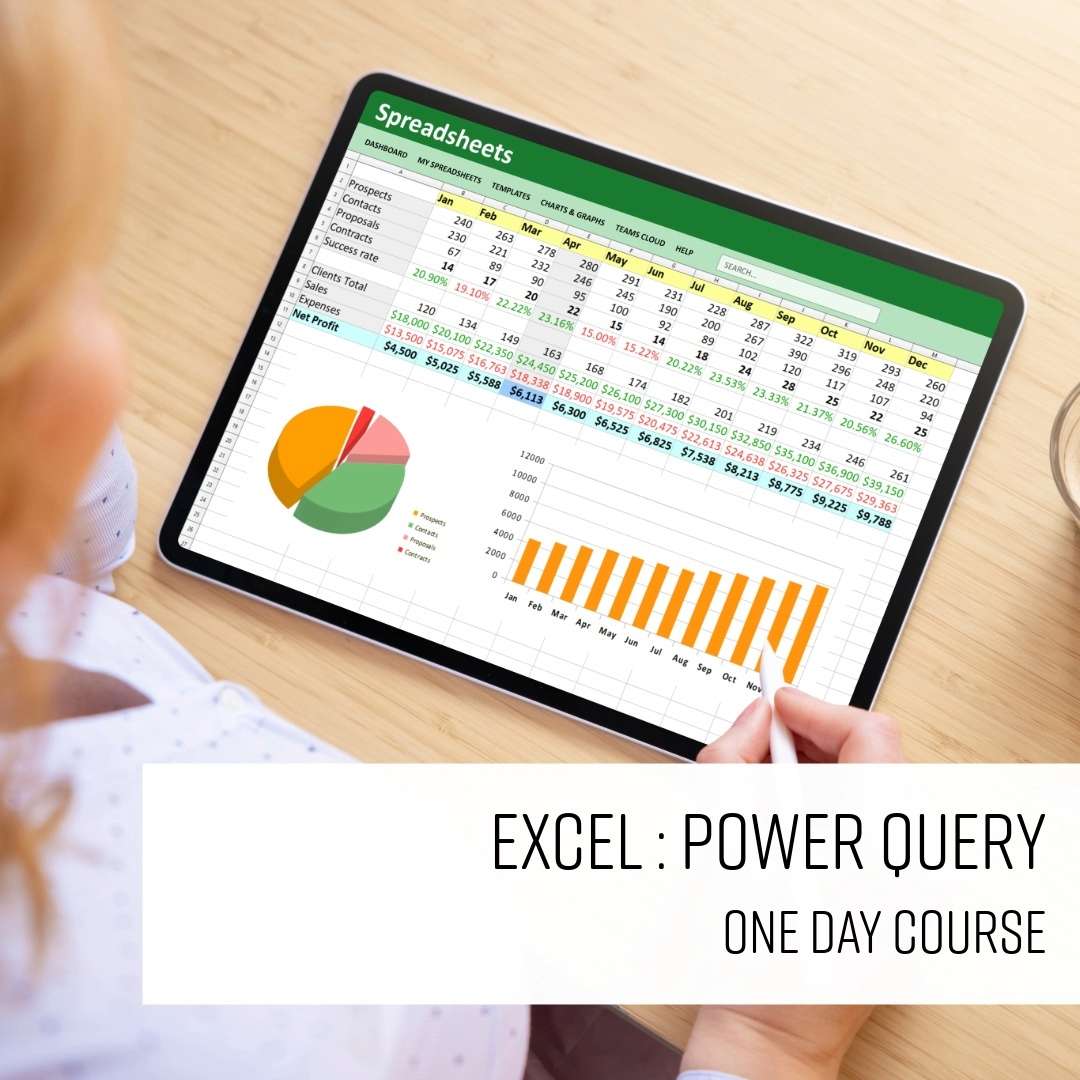
Microsoft Excel Power Query
Private training: ask for a quote
One day Live online Private options
This one-day Excel Power Query course teaches you how to import data from a range of sources, clean and reshape it, and create analysis-ready datasets.
Learn practical techniques for transforming data, combining multiple datasets, and loading results into Excel tables or the Data Model for reporting and analysis.
- Import data from multiple sources
- Clean up messy data quickly
- Reshape data for easier analysis
- Combine and organise different datasets
- Load and refresh data with confidence

Minute Taking
From £349 + VAT
One day Live online Private options
Learn professional minute-taking on this practical one-day course.
Covering the minute-taker's role before, during and after meetings, preparation, shorthand and note-taking techniques, active listening while writing at pace, formal and informal minute styles, structuring and writing up notes and producing polished minutes.
- Understand the minute-taker's role and responsibilities
- Prepare effectively before any meeting
- Develop a personal shorthand and note-taking system
- Distinguish formal and informal minute styles
- Produce clear, accurate and well-structured minutes
-
"Welcoming environment and centre for learning."
IISS - 2 July 2025 - With Tina
-
"Delivering the session in a simple concise way"
FSCS - 1 May 2025 - With Tina
-
"Tina was fantastic, She certainly gave me a lot of confidence and knowledge to move forward on minute taking. Big thank you. Made the course fun and enjoyable. Facilities, location and what's provided on the food and drink was excellent. Thank you for having me."
Financial Services Compensation Scheme - 1 May 2025 - With Tina
-
"This was very helpful and practical tips were concise and valuable."
London Ambulance Service - 7 April 2025 - With Tina
-
"Very comfortable environment to learn and discuss without feeling pressure. Tina was very welcoming and approachable for any questions."
Great Ormond Street Hospital - 14 January 2025 - With Tina
- More reviews
Professional Telephone Skills
Private training: ask for a quote
One day Live online Private options
Develop professional telephone skills on this practical one-day course.
Covering creating a great first impression, confident and helpful communication on every call, handling difficult and upset callers without escalating situations, active listening, taking accurate messages, screening calls and redirecting professionally.
- Create a confident and professional first impression
- Sound helpful and caring on every call
- Handle difficult and upset callers calmly
- Take and leave effective professional messages
- Adapt your communication style for any caller
-
"The trainer was very knowledgeable, she gave plenty of useful examples and tips. The exercises allowed me to put the theory into practice."
Liz Male Consulting - 12 April 2017
- More reviews

Stress Management
Private training: ask for a quote
One day Live online Private options
Learn how to equip yourself with valuable skills to navigate life's challenges with resilience
and maintain a healthier, more stress-free lifestyle.
Discover how to develop effective coping strategies and relaxation techniques to manage
stress when it arises.
- Understanding stress and its effects
- Identifying personal stress factors
- Coping strategies for work and home
- Managing stress levels
- Creating a personalised stress action plan
-
"1:1 Learning - great environment. Very effective and beneficial."
WORLD NUCLEAR TRANSPORT INSTITUTE - 30 September 2019 - With Tina
- More reviews

Structuring Your Remote Working Day
Private training: ask for a quote
Half day Live online Private options
Learn to structure your remote working day more effectively on this practical half-day course.
Covering home workspace setup, day planning and time management techniques, pacing your work and taking breaks, managing motivation and the wellbeing challenges of working remotely or from home.
- Arrange your home workspace for maximum focus
- Structure and plan your working day effectively
- Use time management techniques to stay on task
- Pace your work and take effective breaks
- Manage the wellbeing challenges of remote working
-
"Michael was absolutely fantastic- really personalised course and so helpful. Thank you!"
UK Parliament - 19 April 2021 - With Michael
-
"Lots of practical skills and examples used that can be taken and put straight into practice. Made very relevant and tailored to individuals. Overall very helpful. :)"
Ongo - 22 January 2021 - With Michael
-
"Same feedback as yesterday from me! Great trainer who interacts well with the participants, answers questions and is overall helpful and friendly."
Logic Design - 8 October 2020 - With Michael
-
"The trainer was really friendly and the course was enjoyable."
Logic Design & Consultancy Ltd. - 8 October 2020 - With Michael
-
"Keeping everyone engaged and feeling involved"
Logic Design - 8 October 2020 - With Michael
- More reviews

Team Working
From £449 + VAT
One day Live online Private options
Develop your team working skills on this practical one-day course.
Covering what makes teams effective, personality types and team roles, using individual strengths collectively, developing effective team communication, managing team dynamics constructively, building trust and accountability and supporting people through change.
- Understand what makes teams effective and productive
- Identify personality types and team roles
- Use individual strengths to improve collective output
- Manage team dynamics and disagreements constructively
- Build trust, accountability and shared values
-
"This was the first time I've ended up doing a one-to-one course and I actually really enjoyed it as a format"
Rail Delivery Group - 19 September 2024 - With Michael
-
"Michael was absolutely brilliant, I would highly recommend him to the rest of my team."
Lloyds Banking Group - 24 May 2024 - With Michael
-
"The training and location were exceptional."
Houlihan Lokey - 24 May 2024 - With Michael
-
"Very interactive course. Michael kept the course interesting and engaging throughout."
Dragados - 12 October 2023 - With Michael
-
"Michael was very engaging, funny and friendly. He made the subject extremely interesting, with his funny stories etc. It will make it easier to remember and recall when needed in the future. Ah the story about fish and yogurt! Thank you for an extremely informative interesting and very entertaining course. The premises are gorgeous. Impressed that the loos were spotless and the food was delicious. Thank you."
Russell Publishing Limited - 3 May 2023 - With Michael
- More reviews

Time Management
From £449 + VAT
One day Live online Private options
Learn to prioritise tasks, set goals, and manage your time efficiently.
Discover time management techniques that help reduce stress by ensuring you have control
over your tasks and deadlines.
Discover strategies that make you more productive and give you
a better work-life balance.
- Understanding how you work
- Setting personal and business goals
- Planning, delegation and prioritisation
- Managing procrastination
- Controlling common causes of time wasting
-
"Pacing was good; covered a lot but Michael kept things moving. Breaks were well timed. Small group size was great for tailored approach"
HL - 14 July 2026 - With Michael
-
"Good catering. Good workspace - quiet and intimate but not crowded. Teacher was very engaging and provided helpful advice. Good breaks."
House Of Commons - 29 January 2026 - With Michael
-
"Interactive session, enjoyed small group session which enabled it to be tailored to our needs and discuss relevant specific examples. Well structured. Great venue."
Impetus - 29 January 2026 - With Michael
-
"Great training, very appropriate for my position + changed due to my expertise."
The Folio Society - 7 November 2025 - With Michael
-
"Providing examples and lots of scenarios"
IOPC Funds 1992 - 7 November 2025 - With Michael
- More reviews