Simon was brilliant. Very knowledgeable, engaging and personable.
CE
Learn Adobe Firefly from Adobe experts. Gain essential AI skills and speed up your creative workflow.









From £349 + VAT
One day Classroom Live online Private options
Learn to use Adobe Firefly AI tools across Photoshop, Illustrator and InDesign on this practical one-day course.
Covering image generation, generative fill and expand, text-to-vector, recolouring and realistic editing techniques — ideal for existing Adobe users who want to bring AI into their design workflow.
"Simon was brilliant. Very knowledgeable, engaging and personable."
9 October 2026 - With Simon
"A great day. Really informative, practical and with lots of tips and tricks to take away."
MPW - 9 October 2026 - With Simon
"Very good class and great, friendly teacher."
9 October 2026 - With Simon
"Very good trainer, he was super friendly and knowledgable. The day was structured really well."
9 October 2026 - With Simon
"Welcoming and warm environment; Approachable staff; Thorough and detailed course explanation"
MPW - 9 October 2026 - With Simon

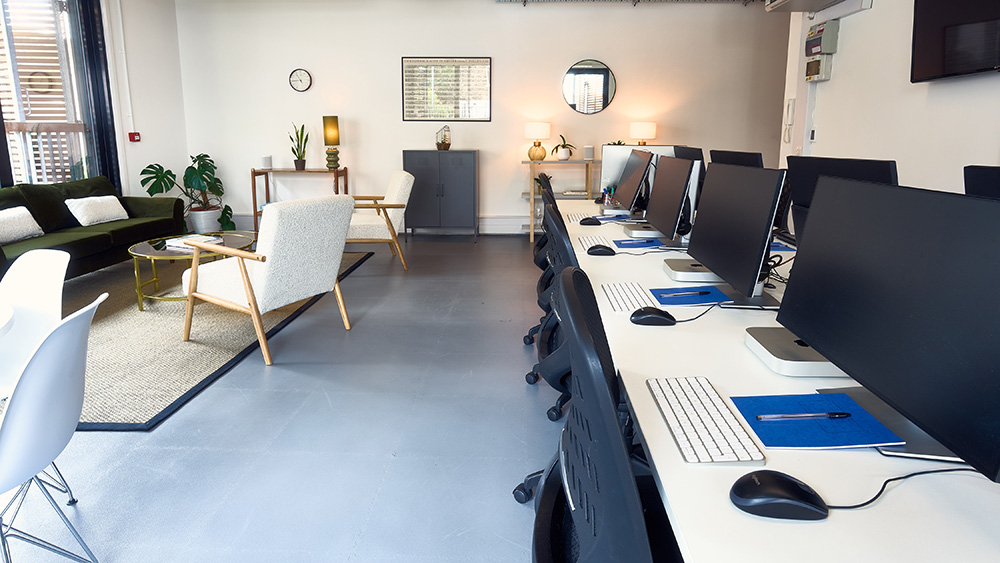
Train at our Islington centre in a class of up to eight. Ask the trainer anything, as often as you need.

The same course, taught live over Zoom in a class of up to six. You'll need your own computer and software.

Private courses for your team, at our centre, at your office or live online. We can build the day around your own files and brand.


You need a skill for the role you already have, or your employer is investing in the team.

You're moving into a new field and need the practical skills it asks for.

You know the theory. A practical course and a certificate of attendance show employers you can do the work.
Simon was brilliant. Very knowledgeable, engaging and personable.
CE
A great day. Really informative, practical and with lots of tips and tricks to take away.
JF MPW
Very good class and great, friendly teacher.
NB
Very good trainer, he was super friendly and knowledgable. The day was structured really well.
DM
Welcoming and warm environment; Approachable staff; Thorough and detailed course explanation
EN MPW
Simon was great at explaining all the steps and repeating for anyone who missed a step. Fun class, learnt new tricks on Photoshop, Illustrator and InDesign.
JG
Matt's delivery was excellent, he was able to go through the content at a pace that worked really well, showing us all the bits and pieces to do with Illustrator and InDesign that I was interested in. I came away feeling like I learned a lot, knowing what we can use in our work now, and what we can look out for in the future has been extremely useful. Communication prior to the course was great, we were sent course materials the day before that we were going to be using on the day which was really helpful, it gave me a bit of a preview of what to expect from the day. We had a couple of breaks throughout the day to give us time away from our screens which I found useful to pause and reset for a bit before going back.
HB Thatcham Research
Matt gave us a good overview of the Adobe products we could use Firefly with. He clearly explained what we were doing and worked through the exercises he had prepared with us, which made the session easy to follow and helped build my understanding.
SH Thatcham Research
Really great session run at the perfect pace. The examples were varied and a lot of prep had gone into the session.
JM V&A
Very organised with the files to work on. Excellent knowledge of the firefly tools and how best we can use them for our job.
RK V&A
It's very helpful to learn a clear standard about using AI and especially how to apply that to what assets we have in musuem archive, plus that, more shortcuts are always useful to learn.
JC
Excellent training and examples, Matt was super knowledgeable and helpful, we will definitely use these examples in our workflow.
AC Victoria and Albert Museum
 How to choose a Photoshop course in LondonTo choose a good Photoshop course for you in London you need to find a course that does two things: 1. matches your level of experience of...Read the guide
  Photoshop, Illustrator or InDesign: which should you learn first?If you are new to all three, start with Photoshop Introduction.Read the guide
  Which InDesign course should I take?If you are new to Adobe InDesign, start with InDesign Introduction.Read the guide